
Levo compared · Guides
Best Mac cleaner for developers
Developers fill a Mac differently from everyone else: DerivedData, simulators, Gradle stores, node_modules, Docker images, models and coding agents’ worktrees. A cleaner built around browser caches and old installers can miss all of it. This page compares what works for a developer’s Mac.
Quick verdict
- Best across every ecosystem, with your agent judging: Levo.
- Best focused, free Xcode cleaner: DevCleaner for Xcode.
- Best free command line, including build artefacts: Mole.
- Best everyday cleaner for non-developer junk: CleanMyMac.
- Best for a one-off in a project you know: your AI agent, or the tool’s own clean command.
Comparison table
“Not stated” means the maker’s page doesn’t mention it, not that it’s missing.
| App | Price | Who decides what’s safe | Where you use it | Safety |
|---|---|---|---|---|
| Levo | Two cleanups free, then a lifetime licence for 2 Macs | Your own AI agent, checked by Levo’s guard | Menubar app plus a Settings window | A guard re-checks every item right before it goes |
| DevCleaner for Xcode | Free | Xcode-specific rules; you pick | App window | You choose what to delete |
| Mole | Free | Rules built into the tool | Command line (mo); its page also mentions native Mac and Windows apps | Dry run (--dry-run) and a whitelist |
| CleanMyMac | From about US$3.33 a month (Nov 2026) | A fixed list of what it knows | App with a menu bar companion | Not stated |
| Your AI agent alone | Your agent’s own plan | The agent, once, in that session | A chat or terminal session | None beyond what the agent decides |
1. Levo: every ecosystem, judged by your agent
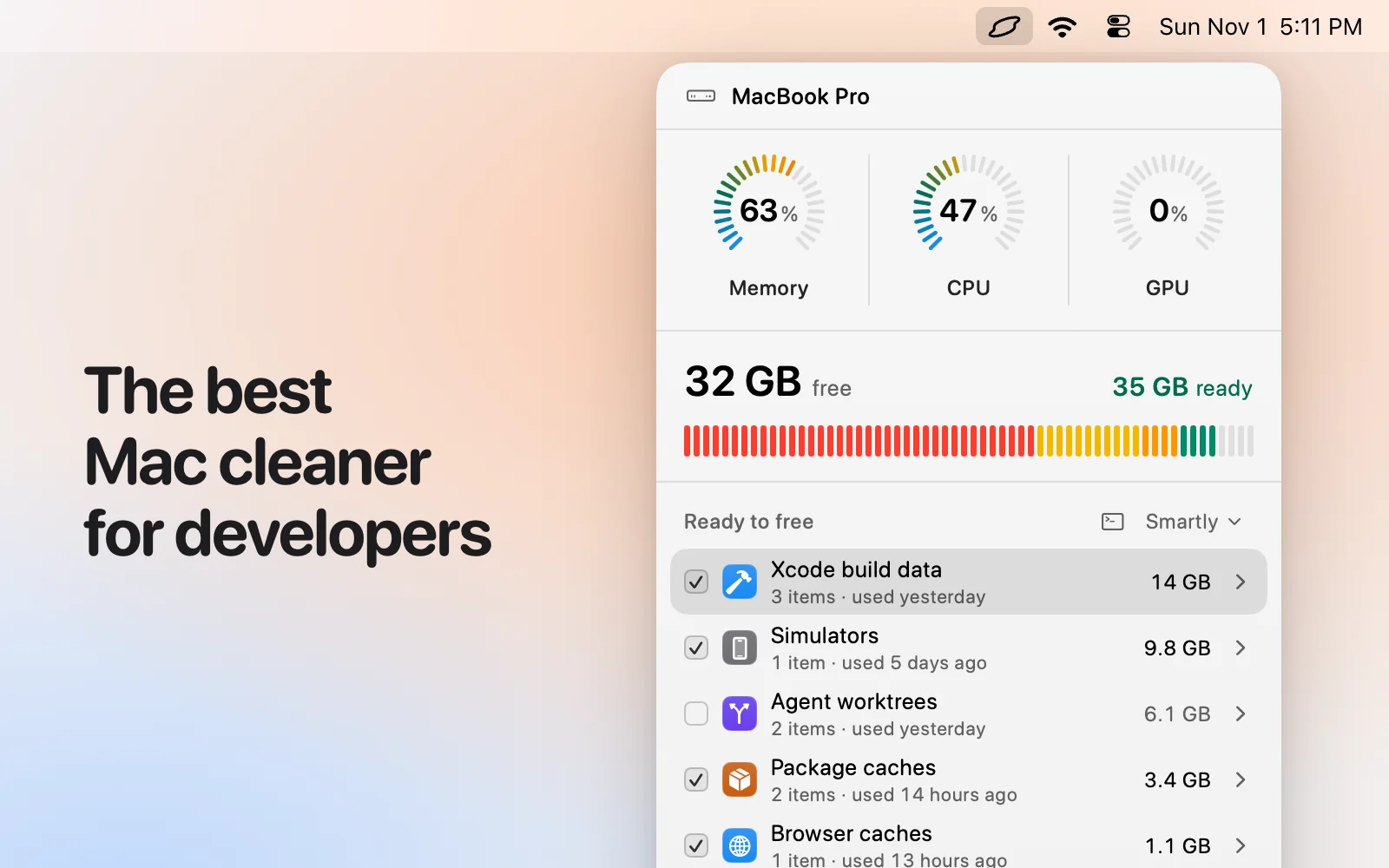
Levo was built for this. It starts from a list that covers Xcode, Android and Gradle, JavaScript, Python, Rust, Go, Docker and other containers, game engines, creative apps and coding agents. Your own AI agent judges everything else, so an unusual tool is found without an update. Every row has a size and a reason, and a cleanup level from Careful to Everything sets how much is ticked.
- Guarded: builds in progress, running simulators, dirty or unmerged git worktrees and live coding agent sessions are locked until they’re done. Models, VMs, archives and backups are listed for you to tick yourself.
- Uses official commands first: simulators go through
simctl, merged worktrees throughgit worktree remove. - Price: free to watch and ask, two free cleanups, then a lifetime licence for 2 Macs.
See the guides for Xcode, Android, web, AI and ML and coding agents.
Skip it if you’re on a Mac older than macOS 26, or you want a ready-made list with no agent involved.
2. DevCleaner for Xcode
By Jan Bednarski. DevCleaner for Xcode reclaims the space Xcode keeps in caches, old device support files, archives and simulators. It’s free, open source (GPL-3.0) and on the Mac App Store.
Details from DevCleaner for Xcode, checked 1 November 2026.
- Price: free.
- Good at: doing one ecosystem well, and showing exactly what Xcode left behind.
Pick it if: You only work in Xcode and want a focused, free tool.
3. Mole
By tw93 and contributors. Mole is a free, open-source tool you run in Terminal as mo: mo clean, mo uninstall, mo optimize, mo analyze (a disk explorer in the terminal), mo status (a live health view), mo purge (build artefacts) and mo installer. Most commands take --dry-run. Its page also mentions native Mac and Windows apps.
Details from Mole, checked 1 November 2026.
- Price: free.
- Good at: speed, scripting, and doing the lot from one command line, with a preview before anything is removed.
Pick it if: You live in a terminal, want it free and open source, and are happy to read a dry run as text.
4. CleanMyMac
By MacPaw. Its page presents CleanMyMac as an all-in-one app for cleaning, removing apps and keeping a Mac in shape, for macOS 11 and later. It’s polished and simple: one scan, one list, one button. It shows a 4.7 rating from about 3,300 reviews. It cleans what its makers have taught it about, so a tool it doesn’t know isn’t in the scan until an update adds it.
Details from CleanMyMac, checked 1 November 2026.
- Price: starting at about US$3.33 a month (Nov 2026), per its own page.
- Good at: an easy interface, a broad set of everyday cleanup and maintenance tasks, an uninstaller, and a long track record.
Pick it if: You want one polished app for everyday tidying and you don’t use a coding agent.
5. Your AI agent alone
Claude Code, Codex, Gemini CLI and other agents can look at your disk and delete what you agree to. They’re good at judging, because they can read a folder, work out what made it and say whether it comes back.
- Price: your own plan or API usage.
- Good at: judgement on things no fixed list knows about.
Pick it if: It’s a one-off, in a project you know, and you’ll read each command before it runs.
How we chose
- Starting point: the tools people most often name when they look for this kind of Mac app, plus what macOS and an AI agent can do on their own.
- Kept: tools that are still maintained and differ on price, where you use them, or who decides what is safe.
- Sources: each maker’s own website, checked 1 November 2026, and for Levo the app itself. No paid placements, and none of these makers reviewed this page.
Which one should you pick?
- Levo: You work in more than one ecosystem, or use coding agents, and want to see and tick it all.
- DevCleaner for Xcode: You only use Xcode and want free and focused.
- Mole: You want a free command line with
mo purgefor build artefacts. - CleanMyMac: You want a general cleaner for everything that isn’t developer data.
- Your agent alone: You’re cleaning one project you know, and will read each command.
Questions
What takes the most space on a developer’s Mac?
Usually Xcode build data and simulators, Gradle and package caches, node_modules, container images, and model files. Coding agents add worktrees and logs.
Is it safe to delete DerivedData?
Yes. Xcode rebuilds it from your source, so the next build is slower.
Will a cleaner delete my git work?
Levo never removes a worktree with changes, unmerged commits or a lock.
Do I need to know every tool’s clean command?
Not with Levo: it uses the official command where there is one, and your agent covers the rest.
Compared on 1 November 2026, from each app's own website. We make Levo.