
Levo compared · Alternatives
AppCleaner alternatives: uninstall Mac apps and their leftovers
AppCleaner does one thing well. People look for alternatives when they want uninstalling inside a tool that also frees space and watches the disk, when they want a command line, or when they want a way to undo. This page compares the options.
Quick verdict
- Best small, free, single-purpose uninstaller: AppCleaner.
- Best when uninstalling is one part of cleaning, with a Put back for a day: Levo.
- Best all-in-one: CleanMyMac.
- Best free command line: Mole’s
mo uninstall. - Best free toolbox: OnyX.
- Best with nothing to install: drag to the Trash, then clean up leftovers by hand.
What AppCleaner does well
By FreeMacSoft. AppCleaner has one job: drop an app onto its window, it finds the files that belong to it, and you delete them. Version 3.7 is for macOS 15 or later.
- Price: free.
- Good at: being small, quick and easy to understand.
Details from AppCleaner, checked 1 November 2026.
It’s an app you open when you want to uninstall something. It doesn’t do anything else, and that’s the point.
Comparison table
“Not stated” means the maker’s page doesn’t mention it, not that it’s missing.
| App | Price | Where you use it | Safety | Also frees disk space |
|---|---|---|---|---|
| AppCleaner | Free | A small window you drop apps onto | You choose what to delete | You pick from the files it finds for an app |
| Levo | Two cleanups free, then a lifetime licence for 2 Macs | Menubar app plus a Settings window | A guard re-checks every item right before it goes | Your own AI agent, checked by Levo’s guard |
| CleanMyMac | From about US$3.33 a month (Nov 2026) | App with a menu bar companion | Not stated | A fixed list of what it knows |
| Mole | Free | Command line (mo); its page also mentions native Mac and Windows apps | Dry run (--dry-run) and a whitelist | Rules built into the tool |
| OnyX | Free | App window | You choose each task | Maintenance tasks built into the app |
1. Levo: uninstall from ⌘K, with Put back
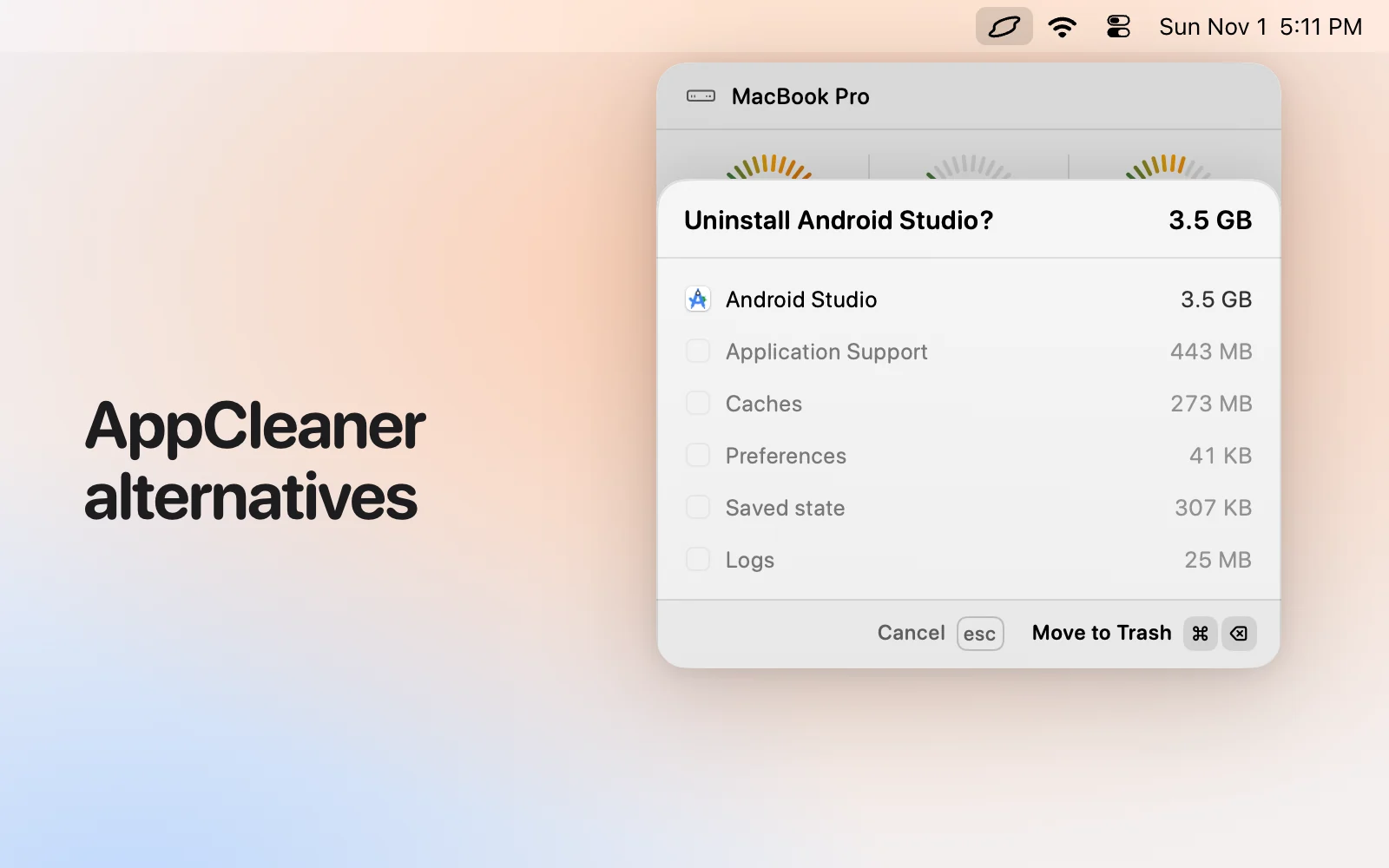
In Levo, press ⌘K, type “uninstall” and part of the app’s name. A confirm step lists the app and what it left behind (Application Support, caches, preferences and so on) with their sizes. Confirm, and it all goes to the Trash. Put back undoes it for a day. Levo also finds leftovers of apps you removed long ago, and the same ⌘K opens every other action.
- Price: uninstalling needs the licence, like cleaning does, after the two free cleanups. The licence is a lifetime one for 2 Macs.
- Needs: macOS 26 or later.
Skip it if you’re on a Mac older than macOS 26, or you want a ready-made list with no agent involved.
2. CleanMyMac
By MacPaw. Its page presents CleanMyMac as an all-in-one app for cleaning, removing apps and keeping a Mac in shape, for macOS 11 and later. It’s polished and simple: one scan, one list, one button. It shows a 4.7 rating from about 3,300 reviews. It cleans what its makers have taught it about, so a tool it doesn’t know isn’t in the scan until an update adds it.
Details from CleanMyMac, checked 1 November 2026.
- Price: starting at about US$3.33 a month (Nov 2026), per its own page.
- Good at: an easy interface, a broad set of everyday cleanup and maintenance tasks, an uninstaller, and a long track record.
Pick it if: You want one polished app for everyday tidying and you don’t use a coding agent.
3. Mole
By tw93 and contributors. Mole is a free, open-source tool you run in Terminal as mo: mo clean, mo uninstall, mo optimize, mo analyze (a disk explorer in the terminal), mo status (a live health view), mo purge (build artefacts) and mo installer. Most commands take --dry-run. Its page also mentions native Mac and Windows apps.
Details from Mole, checked 1 November 2026.
- Price: free.
- Good at: speed, scripting, and doing the lot from one command line, with a preview before anything is removed.
Pick it if: You live in a terminal, want it free and open source, and are happy to read a dry run as text.
4. OnyX
By Titanium Software. OnyX is a free maintenance utility: it verifies system files, runs cleaning and maintenance tasks, deletes caches, rebuilds databases and indexes, uninstalls apps, and configures settings in Finder, Dock and Safari. Its page says it puts a clean interface on tasks that otherwise need typed commands. There’s a version for each macOS release.
Details from OnyX, checked 1 November 2026.
- Price: free, with donations welcome.
- Good at: a free, long-running toolbox for system maintenance that doesn’t need a subscription.
Pick it if: You want free maintenance tools and know what each task does.
How we chose
- Starting point: the tools people most often name when they look for this kind of Mac app, plus what macOS and an AI agent can do on their own.
- Kept: tools that are still maintained and differ on price, where you use them, or who decides what is safe.
- Sources: each maker’s own website, checked 1 November 2026, and for Levo the app itself. No paid placements, and none of these makers reviewed this page.
Which one should you pick?
- AppCleaner: You only want to uninstall apps, and free.
- Levo: You want uninstalling, space and a watcher in one place, with Put back.
- CleanMyMac: You want a polished all-in-one.
- Mole: You’re happy in Terminal.
- OnyX: You want free maintenance tools.
Questions
Does dragging an app to the Trash remove everything?
No. Support files, caches and preferences stay behind. That’s what these tools find.
Can I undo an uninstall in Levo?
Yes. Put back works for a day, since the app and its leftovers go to the Trash.
Does Levo uninstall for free?
Uninstalling counts as cleaning: it needs a licence after the two free cleanups. See Licence for what’s included.
Is AppCleaner still a good choice?
Yes, if uninstalling is all you need.
Compared on 1 November 2026, from each app's own website. We make Levo.