
Levo compared · Lists
Best Mac cleaner apps in 2026
The best Mac cleaner is the one that matches how you use your Mac: a polished all-in-one app, a free uninstaller, a disk map, or something that watches and tells you what to clean. Here are seven, compared on price, what each does and who it suits.
Quick verdict
- Best when you want the list to say what’s safe: Levo.
- Best polished all-in-one: CleanMyMac.
- Best free maintenance toolbox: OnyX.
- Best free uninstaller: AppCleaner or Pearcleaner.
- Best map of your disk: DaisyDisk.
- Best free command-line cleaner: Mole.
Comparison table
“Subscription” and “about” prices are rounded and from November 2026.
| App | Price | Cleans caches and junk | Uninstalls apps | Watches in the background |
|---|---|---|---|---|
| Levo | Two free cleanups, then a lifetime licence | Yes, with a reason for each item | Yes, with leftovers | Yes: disk, memory, CPU and GPU |
| CleanMyMac | Subscription, from about US$3.33 a month | Yes, a fixed list of what it knows | Yes | Some |
| OnyX | Free | Yes, with manual options | No | No |
| AppCleaner | Free | No | Yes, with leftovers | No |
| Pearcleaner | Free, open source | Some | Yes, with leftovers | No |
| DaisyDisk | About US$10 once | No, a map you delete from | No | No |
| Mole | Free, open source | Yes | Yes | On demand |
1. Levo
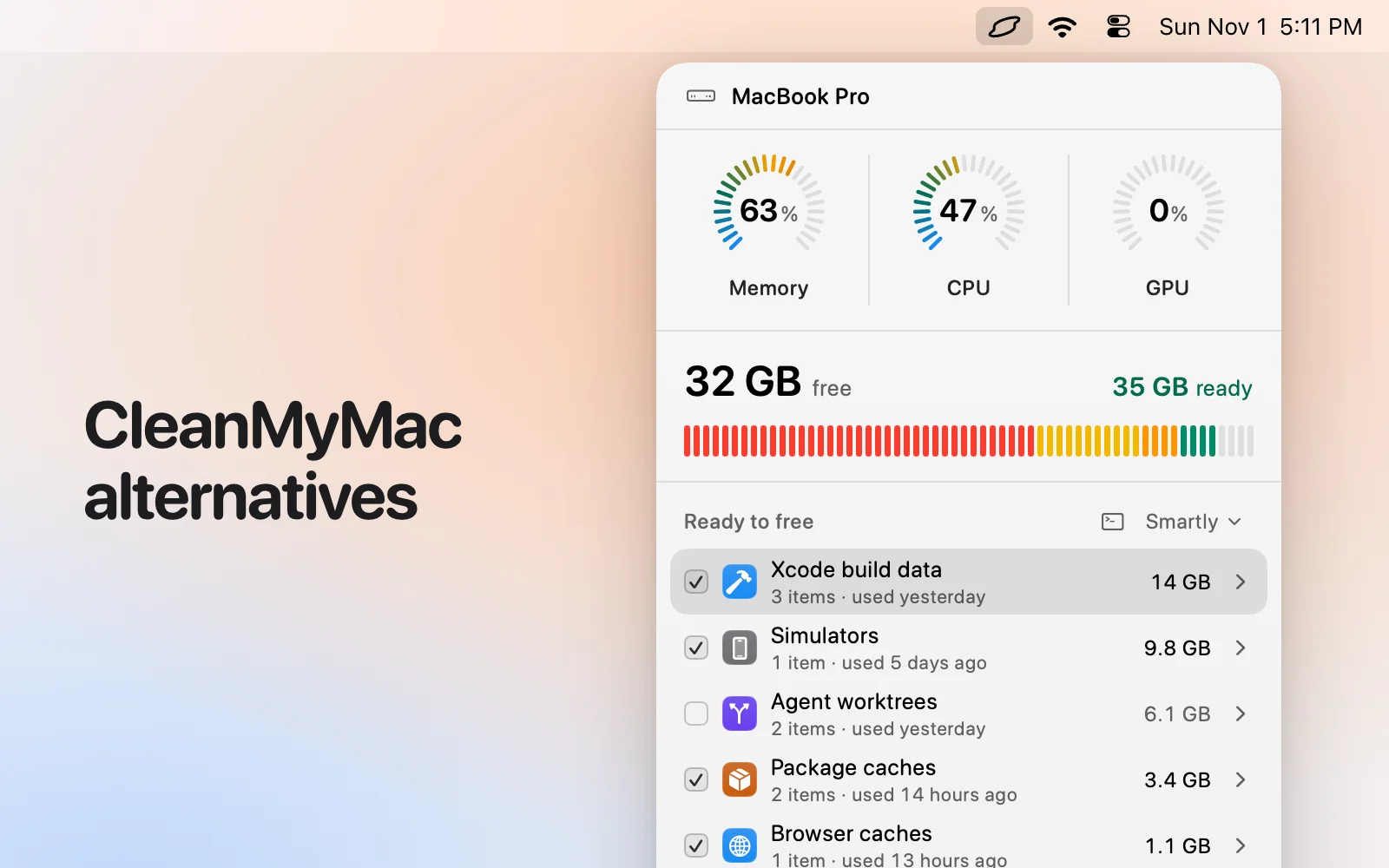
A menubar app for macOS 26 or later. It watches disk, memory, CPU and GPU against limits you set, and notifies you with the answer ready: a list called Ready to free, grouped by kind, each item with a size and a reason. Select › Smartly ticks only what’s safe at your cleanup level, and you untick anything you want to keep. Your own AI agent (Claude Code, Codex, Gemini and others) judges what’s safe, read-only; Levo does every deletion itself and checks each item again right before it goes. It also has Processes with a Quit button, and Uninstall with leftovers. Without an agent it still works from a live index and its rules for known tools.
- Good at: Finding what safely fills the disk, including developer and AI-agent clutter, and warning you before space runs out.
Pick it if: you want the list to say what’s safe, and you’d like a warning in time.
2. CleanMyMac
By MacPaw. One scan, one list, one button, with an uninstaller and a set of maintenance tasks. It cleans what its makers have taught it about, so a tool it doesn’t know isn’t in the scan until an update adds it.
- Price: A subscription, from about US$3.33 a month (Nov 2026).
- Good at: An easy interface and everyday tidying with a long track record.
Pick it if: you want one polished app and you don’t use a coding agent.
3. OnyX
By Titanium Software. A long-running free utility that verifies the disk, rebuilds databases, clears caches and changes hidden settings. It’s powerful and assumes you know what each switch does. You need the build that matches your macOS version.
- Price: Free.
- Good at: Maintenance tasks and tweaks, if you’re comfortable with the options.
Pick it if: you like a free toolbox and read before you click.
4. AppCleaner
By FreeMacSoft. Drag an app in, and it finds the files that belong to it. That’s all it does, and it does it simply.
- Price: Free.
- Good at: Uninstalling an app with its leftovers.
Pick it if: you only want to uninstall apps.
5. Pearcleaner
An open-source app uninstaller that finds an app’s leftovers, and can also clean some caches and leftover files from apps already deleted.
- Price: Free, open source.
- Good at: A free, modern uninstaller you can read the source of.
Pick it if: you want AppCleaner’s job with more options.
6. DaisyDisk
By Software Ambience. It draws your disk as colourful rings so you can drill into folders. It shows; you decide what goes.
- Price: About US$10 once (Nov 2026), with a free trial.
- Good at: Understanding a full disk at a glance.
Pick it if: you want to explore where the space went before you delete anything.
7. Mole
A free, open-source command-line tool with commands for cleaning, uninstalling and an analyzer. Most commands take --dry-run, so you can read what it would do first.
- Price: Free.
- Good at: Speed, scripting and one command for several jobs.
Pick it if: you live in a terminal.
When to use more than one
These tools overlap less than they seem to. A common pairing is a free uninstaller such as AppCleaner or Pearcleaner for removing apps, plus one tool that looks after the disk as a whole. DaisyDisk and Levo also work well together: the map to explore a drive you don’t know, the list to clean what’s known to be safe. Running two full cleaners at once adds nothing, since the second finds what the first already took.
What to check before you trust any cleaner
Look for a preview before anything is deleted, a Trash step or an undo, and a clear reason for each item. Be wary of any app that announces a scary number of “issues” and asks for payment to fix them. Levo’s own safety rules are worth comparing against: it never touches Photos, Mail or Messages libraries, iCloud Drive, keychains or SSH keys, never cleans anything open or in use, and leaves Time Machine snapshots, swap and macOS’s own files to macOS.
Which cleaner suits which Mac
On a small internal disk that keeps filling, a tool that watches and warns beats one you remember to open. On a Mac you rarely touch, macOS Storage settings and an occasional uninstall may be all you need. On a developer’s Mac, caches from Xcode, Docker, package managers and coding agents are usually the biggest items, and a cleaner that knows them will find far more than a general one.
How we chose
- Starting point: the Mac cleaners people most often name, plus a map, a toolbox and a terminal tool so you can see different approaches.
- Kept: apps that are still maintained and that differ on price, scope or who decides what is safe.
- Sources: each maker’s own description and, for Levo, the app itself. Prices are rounded. No paid placements, and none of these makers reviewed this page.
Which one should you pick?
- Levo: You want the answer, not just a list, and a warning before the disk is full.
- CleanMyMac: You want one polished app for everyday tidying.
- OnyX: You want a free toolbox and don’t mind options.
- AppCleaner or Pearcleaner: You only need to remove apps.
- DaisyDisk: You want a map first.
- Mole: You’re comfortable in Terminal.
Questions
What is the best free Mac cleaner?
OnyX for maintenance, AppCleaner or Pearcleaner for uninstalling apps, and Mole if you like the terminal. They each do part of the job.
Do Mac cleaners actually speed up a Mac?
Rarely. Freeing disk space helps when the disk is nearly full, and quitting a runaway process helps right now. Most other “speed-ups” make little difference.
Is it safe to use a Mac cleaner?
It’s as safe as its rules. Check what it will delete before you confirm, prefer tools that move things to the Trash or show a preview, and avoid ones that scare you into buying.
Do I need a cleaner at all?
Often not. macOS Storage settings covers the basics. A cleaner earns its place when your disk keeps filling, especially with developer tools or AI-agent files.
Can I use two cleaners together?
Yes. A free uninstaller plus one disk tool is a sensible pair. Running two full cleaners at once adds little.
Which cleaner is best for a developer?
One that knows developer tools: Xcode build data, simulators, package caches, Docker images and agent worktrees. Levo and Mole both cover these.
Compared on 3 November 2026. Prices of other apps are rounded and can change; check the maker’s site.