
Compare · Mac cleaners
OnyX vs Levo
OnyX is a long-running free utility for maintaining and tweaking macOS. Levo is narrower and newer: it watches your disk and your processes and frees what's safe.
Quick verdict
- Pick OnyX if you want a free tool for verifying your system, rebuilding indexes and changing hidden settings, or you support an older Mac.
- Pick Levo if what you want is free space and memory back, with every item shown and a guard checking it, and alerts when a limit is crossed.
OnyX at a glance
- What it is: a utility from Titanium Software. Its page says it verifies the system's file structure, cleans and maintains your Mac, uninstalls apps, deletes caches, rebuilds databases and indexes, and changes settings in the Finder, Dock, Safari and some Apple apps.
- Price: free, with an optional donation.
- Versions: one per macOS release. The current version is made for the newest macOS on Apple silicon, and older versions go back to Mac OS X 10.2. Older versions are no longer updated.
- Style: a graphical front end for tasks that would otherwise need Terminal commands.
Levo at a glance
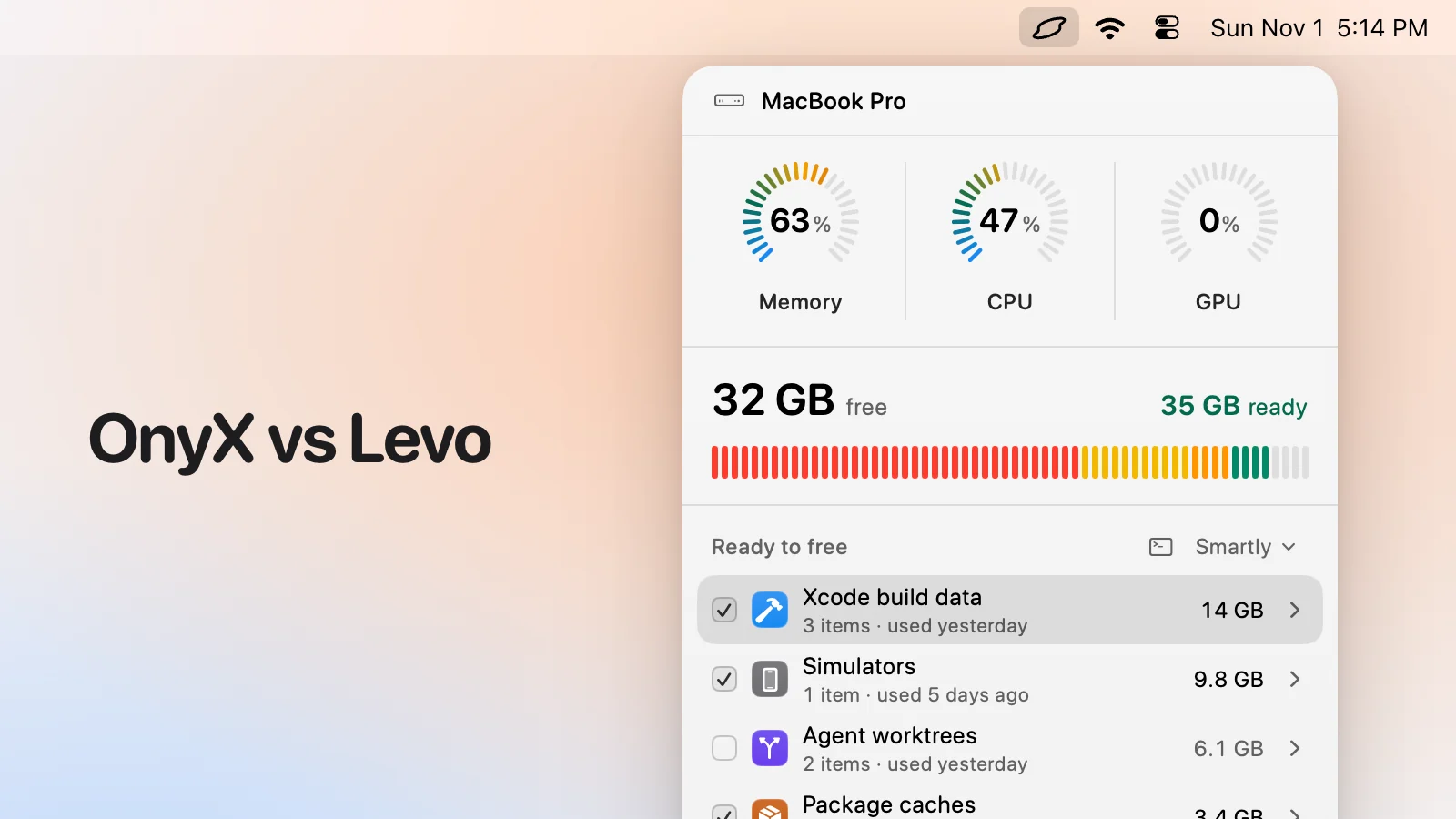
- What it is: a menubar app that watches disk, memory, CPU and GPU against limits you set. Needs macOS 26 or later.
- Who judges: your own AI agent (Claude Code, Codex and others) looks at what Levo found and says what's safe, read-only and in a sandbox. Without an agent, Levo uses its own rules for known tools.
- What you see: every item with its size and the reason it's safe, grouped, with the safe ones ticked at the cleanup level you chose (Careful, Balanced or Aggressive). You tick and untick before anything goes.
- Who deletes: Levo does, never the agent, and a guard checks every item again right before it goes: open files, running apps, unsaved git work, live agent sessions, recent changes, your protected folders.
- Beyond disk: shows the processes behind memory, CPU and GPU and quits what your agent says is idle, uninstalls apps with their leftovers, and can clean on its own with Auto mode.
- Account and price: no account. Watching, suggestions and the first two cleanups are free, then a lifetime licence for 2 Macs. The price is on the Levo page.
Side-by-side
| OnyX | Levo | |
|---|---|---|
| What it's for | Maintenance and tweaking | Freeing disk, memory, CPU and GPU, and watching them |
| Cleaning | Caches, logs and similar, by its own list | Known tools plus your agent's judgement on everything else |
| Hidden settings | Yes (Finder, Dock, Safari and more) | No |
| Rebuilding indexes and databases | Yes | No |
| Watches in the background | No | Yes, with alerts |
| Seeing before it deletes | You choose tasks, then run them | Every item with size and reason; you tick and untick |
| Safety checks | You choose the tasks | A guard rechecks each item right before it goes |
| Uninstall apps | Yes | Yes, with leftovers; can be put back for a day |
| Older Macs | Versions back to Mac OS X 10.2 | macOS 26 or later |
Pricing
OnyX is free, with an optional donation (Nov 2026).
Levo's watching, suggestions and first two cleanups are free, then a lifetime licence for 2 Macs. See the Levo page.
Who should pick which
OnyX is a good fit if
- You want a free utility and are comfortable with technical maintenance tasks.
- You want to change hidden Finder, Dock or Safari settings.
- You support Macs on older versions of macOS.
Levo is a good fit if
- You want to see what's using the disk and tick what goes.
- You want alerts at your own limits.
- You want your agent's judgement on files no list knows.
- You want a guard that checks every item right before it's removed.
Questions
Is it OK to run both?
Yes, they do different jobs. Use OnyX for maintenance tasks, and Levo for freeing space and memory.
Does Levo rebuild databases or change system settings?
No. It never changes system settings. It cleans what you tick, and quits what you choose.
Compared on 1 November 2026, from each app's own website. We make Levo.