
Compare · Every option
Levo alternatives: eight Mac cleaners and monitors
Macs fill up and slow down for different reasons, and these apps solve different parts of it. Here are eight to consider next to Levo.
Quick verdict
- Best when your Mac has files no list knows about: Levo. Your agent judges, you tick, a guard checks.
- Best all-in-one cleaner without an agent: CleanMyMac.
- Best free maintenance utility: OnyX.
- Best for uninstalling only: AppCleaner.
- Best for Xcode only: DevCleaner for Xcode.
- Best for the command line: Mole.
- Best for seeing where the space went: DaisyDisk.
- Best for detailed monitoring: iStat Menus, or Stats if you want it free.
Levo
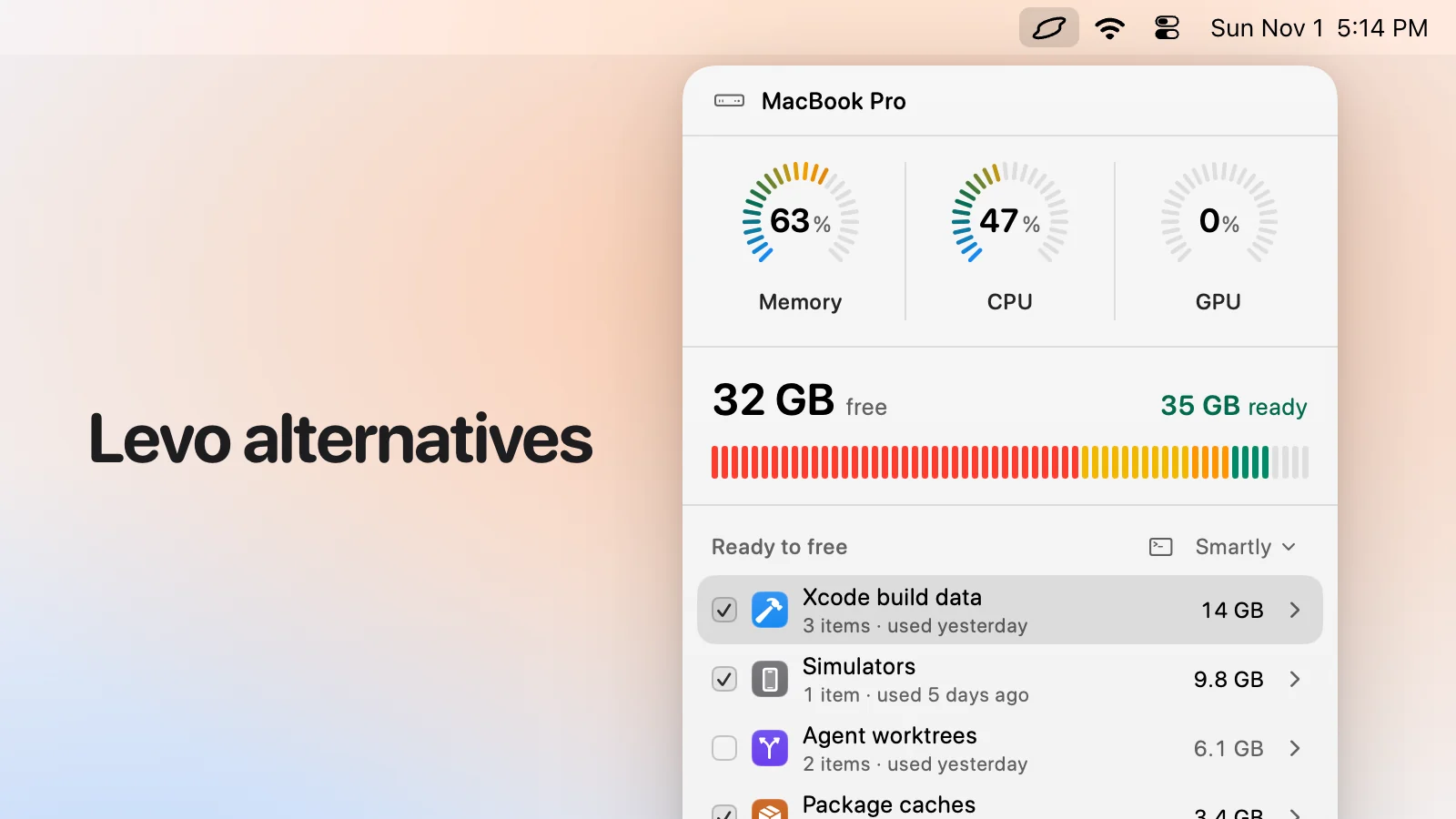
A menubar app that watches disk, memory, CPU and GPU against your limits. Your own AI agent judges what's safe, you see every item with its reason and tick what goes, and Levo does the deleting behind a guard that checks each item right before it goes. It also quits what's idle, uninstalls apps with leftovers and can clean on its own with Auto mode. Watching, suggestions and two cleanups are free, then a lifetime licence for 2 Macs. It needs macOS 26 or later.
Not for you if you want malware scanning, a visual disk map, sensors and weather, or support for an older Mac.
CleanMyMac
A polished all-in-one cleaner from MacPaw: cleaning, malware removal, app uninstalling, duplicates, large and old files. Price: About US$3.33 a month and up (Nov 2026); free trial. CleanMyMac vs Levo
Best if you want one friendly app and no agent. It cleans from a fixed set of known places.
OnyX
A free utility from Titanium Software for verifying the system, cleaning caches, rebuilding indexes and changing hidden settings. Price: Free, optional donation. OnyX vs Levo
Best for maintenance and tweaking, and for older Macs: it has versions back to Mac OS X 10.2.
AppCleaner
A tiny free app: drag an app on it and it finds its leftovers. Price: Free, optional donation. AppCleaner vs Levo
Best if all you need is uninstalling.
DevCleaner for Xcode
A free, open-source tool for Xcode's caches: Device Support, archives, DerivedData and logs. Price: Free (GPL-3.0). DevCleaner for Xcode vs Levo
Best if Xcode is your whole problem. Its page warns it relies on undocumented folder structures.
Mole
A free, open-source command line toolkit (mo clean, uninstall, analyze, status and more), plus a separate native Mac app. Price: CLI free (GPL-3.0); the Mac app's price isn't on its page. Mole vs Levo
Best if you live in Terminal and want scripts.
DaisyDisk
A disk map: see where the space went, drill in, and delete what you choose. Price: About US$9.99 once (Nov 2026); free download to try. DaisyDisk vs Levo
Best for exploring a disk or drive visually. It leaves the decision to you.
iStat Menus
The classic menubar monitor: CPU, GPU, memory, disks, network, sensors, battery, weather, with rules and fan control. Price: Paid with a 14-day trial; also in Setapp. iStat Menus vs Levo
Best for detailed readouts. It watches and doesn't clean.
Stats
A free, open-source menubar monitor with many modules, from CPU and GPU to Bluetooth and clocks. Price: Free (MIT). Stats vs Levo
Best for a free monitor. It watches and doesn't clean.
Comparison table
| App | Price | Form | Alerts | Who decides what's junk | Cleans | Minimum macOS |
|---|---|---|---|---|---|---|
| Levo | Free tier, then a lifetime licence for 2 Macs | Menubar app | Yes | Your own AI agent, plus known tools | Yes, with a guard | macOS 26 |
| CleanMyMac | From about US$3.33 a month | App | Not stated | A fixed set of places | Yes | macOS 11 |
| OnyX | Free | App | No | Its own list | Yes | Versions for older macOS |
| AppCleaner | Free | App | No | Apps and their leftovers | Apps only | macOS 15 (current version) |
| DevCleaner | Free | App | No | Xcode folders | Xcode only | Not stated |
| Mole | Free CLI; Mac app separate | Terminal | No | Rules that ship with it | Yes | Not stated |
| DaisyDisk | About US$9.99 | App | No | You decide | Yes, by hand | macOS 10.13 |
| iStat Menus | Paid, 14-day trial | Menubar monitor | Rules | Not a cleaner | No | macOS 13.5 |
| Stats | Free | Menubar monitor | Not a headline feature | Not a cleaner | No | macOS 12 |
How we chose
We picked the apps people most often name when they look for a Mac cleaner, disk map or menubar monitor, plus a command line tool and two single-job tools. We read each one's own website or GitHub page on 1 November 2026, once, and wrote down what it says. We haven't run them side by side, so where a page doesn't state something we say so. Prices are about, as of that date.
Which one should you pick
- If you want a friendly, finished cleaner and don't use an AI agent: CleanMyMac.
- If your disk keeps filling with developer, creative or agent files and you want to see and tick everything: Levo.
- If you only need to remove apps, or only Xcode's caches: AppCleaner or DevCleaner.
- If you want to understand a disk visually: DaisyDisk.
- If you want to script it: Mole.
- If you want a monitor: iStat Menus or Stats, and add Levo if you also want something to act.
Compared on 1 November 2026, from each app's own website. We make Levo.