
Levo guides · Developers: Apple
How to delete DerivedData, and is it safe?
Yes, it is safe. DerivedData holds only build output, indexes and logs that Xcode makes from your source, so deleting it costs you one slow build and nothing else. Quit Xcode first, and don’t delete it while a build or archive is running.
| What is inside | Where | What happens if deleted |
|---|---|---|
| Build products | DerivedData/<Project>-<hash>/Build | Rebuilt on next build |
| Index store | …/Index.noindex | Xcode re-indexes, so search and completion are slow for a while |
| Logs | …/Logs | Old build logs vanish from the Report navigator |
| Swift packages | …/SourcePackages | Packages are fetched again, so you need a network |
| Module cache | DerivedData/ModuleCache.noindex | Rebuilt, shared by all projects |
How to do it yourself
The folder is ~/Library/Developer/Xcode/DerivedData, with one subfolder per project named after it plus a hash. Pick the method that matches what you want.
- One project, from Xcode. Choose Product › Clean Build Folder (⇧⌘K). It clears that project’s build products but leaves its index.
- One project, in Finder. Open Xcode › Settings › Locations, click the small arrow beside Derived Data, and move that project’s folder to the Trash.
- Everything, in Terminal. With Xcode quit:
du -sh ~/Library/Developer/Xcode/DerivedData
rm -rf ~/Library/Developer/Xcode/DerivedData/*
The folder itself can stay. Xcode makes it again if it is missing. For command-line builds that use -derivedDataPath, delete that folder instead.
Wait if a build, an archive or a UI test is running, or if you are on a plane and use Swift packages: SourcePackages goes too and needs a download. To keep it, delete only the Build and Index.noindex folders.
If a project behaves oddly after a clear, also reset packages with File › Packages › Reset Package Caches. The same goes for the SwiftPM and CocoaPods caches.
When clearing it does not fix the problem
Developers clear DerivedData to fix a stuck build, and it often works because a stale module cache or index is the cause. When it doesn’t, the problem is somewhere else: a package that resolved to a wrong version, a stale Pods folder, or a signing setting. Try the package reset in the package caches guide next.
If the folder keeps coming back at 30 GB or more, look at which project folders are biggest: du -sh ~/Library/Developer/Xcode/DerivedData/* | sort -h. Each branch or clone of a project gets its own folder, because the hash comes from the project path. Ten checkouts of one app is ten copies.
You can also move DerivedData somewhere else, to an external drive, under Xcode › Settings › Locations. That works, but builds on a slower drive are noticeably slower. Clearing on a schedule is the better trade for most people.
How Levo does it
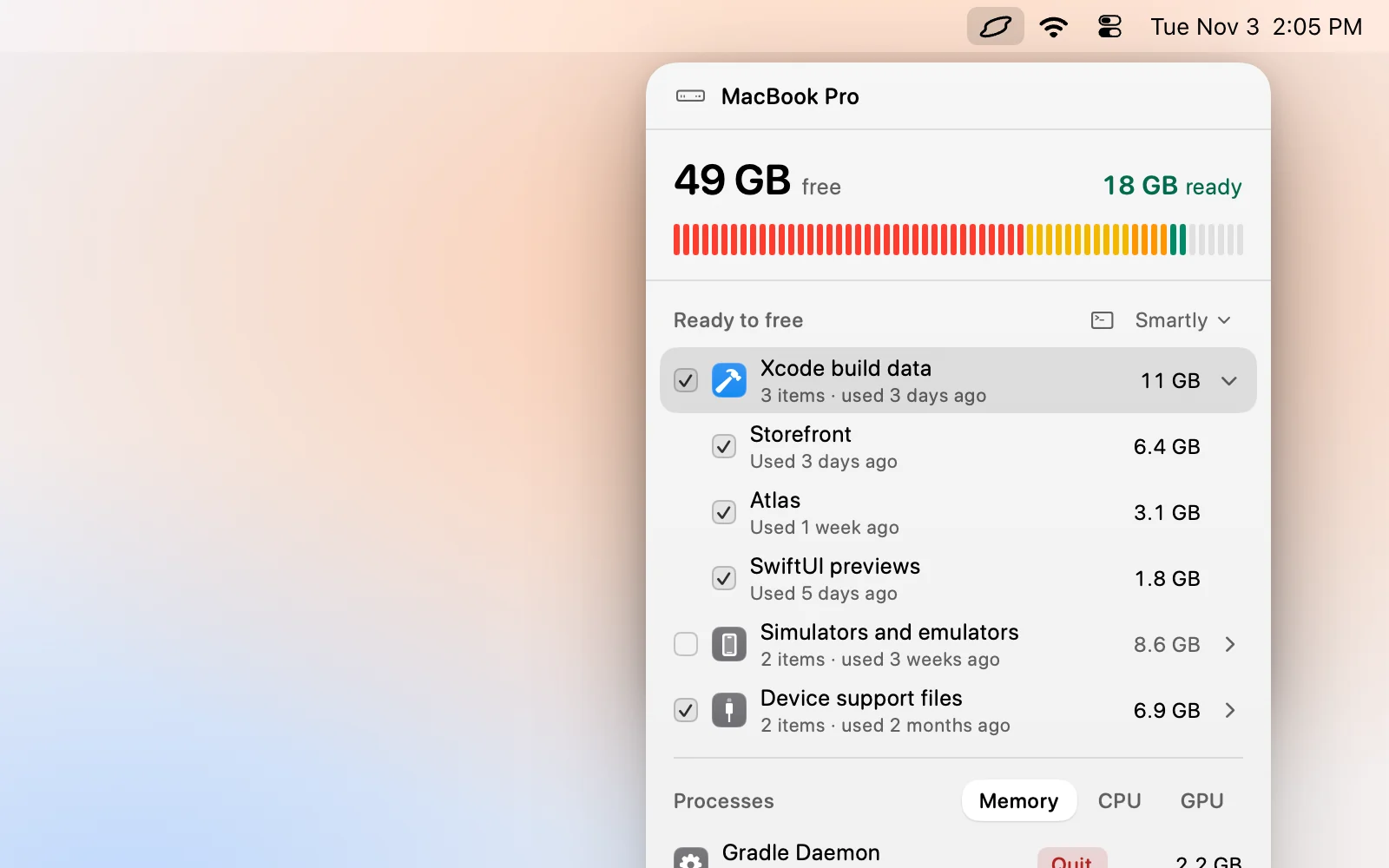
Levo shows each project’s DerivedData folder as part of the Xcode build data group, with its size and when it was last built. Folders for projects you haven’t touched, or whose source folder is gone, are ticked first by Select › Smartly; the one you built this morning stays unticked.
While Xcode, xcodebuild or the build services are running, Levo marks the row locked and explains why. You untick anything you want to keep, then Clean up. Levo for iOS and Mac developers has the full list of what it looks for.
FAQ
Is it safe to delete DerivedData?
Yes. It holds build output, indexes and logs made from your source. Xcode rebuilds it, so the first build afterwards is slower.
Where is DerivedData on a Mac?
In ~/Library/Developer/Xcode/DerivedData. Open Xcode Settings, then Locations, and click the arrow beside Derived Data to reveal it in Finder.
Will I lose breakpoints or schemes if I delete DerivedData?
No. Those are stored in your project or workspace, not in DerivedData. You lose old build logs and the cached index.
Why does Xcode keep filling DerivedData again?
Every build writes there, one folder per project, plus the index. Heavy projects and many branches add up to tens of gigabytes, so clearing it every few weeks is normal.