
Levo guides · Developers: Apple
Why is Xcode so big? What’s safe to delete
The Xcode app is only part of it. The real weight is in ~/Library/Developer: build data, simulators, downloaded runtimes and debug symbols from every device you have plugged in. Nearly all of it comes back, so you can clear it. The two exceptions are archives and data inside simulators you still use.
| What | Where | Safe to delete? |
|---|---|---|
| Xcode.app | /Applications/Xcode.app | Old versions, yes. Keep the one you use |
| Build data | ~/Library/Developer/Xcode/DerivedData | Yes, rebuilt on the next build |
| Simulators | ~/Library/Developer/CoreSimulator/Devices | Yes, but app data inside goes too |
| Simulator runtimes | /Library/Developer/CoreSimulator (disk images) | Yes, re-download when needed |
| Device support | ~/Library/Developer/Xcode/iOS DeviceSupport | Yes, copied again on connect |
| Archives | ~/Library/Developer/Xcode/Archives | Only if the build is shipped and its symbols are stored elsewhere |
| Caches | ~/Library/Caches/com.apple.dt.Xcode | Yes |
| SwiftUI previews | ~/Library/Developer/Xcode/UserData/Previews | Yes |
| Command line tools | /Library/Developer/CommandLineTools | Only if you have the full Xcode and don’t need them separately |
How to do it yourself
Size the folders first so you spend your time on the big ones:
du -sh ~/Library/Developer/Xcode/* ~/Library/Developer/CoreSimulator /Library/Developer/CoreSimulator 2>/dev/null- Quit Xcode, then delete the contents of
DerivedData. See how to delete DerivedData. - Remove simulators and runtimes you don’t use with
xcrun simctl, or in Xcode › Settings › Components. See how to delete old simulators. - Open
iOS DeviceSupportand delete the folders for iOS versions your devices no longer run. See what DeviceSupport is. - Clear the package caches with the commands in SwiftPM and CocoaPods caches.
- Open Xcode › Window › Organizer › Archives and look at what is there. Archives are the only copy of the exact build you sent to App Store Connect, and the dSYMs inside are what symbolicate its crash reports. Delete old ones only when you have those symbols elsewhere.
Old Xcode versions in /Applications are about 12 to 15 GB each. Delete them in Finder, not by dragging the Developer folder out of the way.
What each one costs to bring back
The cheapest to lose is DerivedData: one slower build per project. Simulator runtimes cost a download of several gigabytes and a few minutes, so keep only the iOS versions your app supports. Device support costs a short wait the next time you connect a phone.
Archives are different. The dSYM files inside are what turn a raw crash report from an old release into readable lines. If you upload dSYMs to your crash tool at release time, the archive is just a big zip you can delete. If you don’t, keep the archive for every version still in the wild.
Xcode’s own updates are a quiet cause too. Each new version installed next to the old one adds 12 to 15 GB, and Xcode betas pile on top. Delete old copies in Finder, empty the Trash, and the space comes back at once. If a Mac is nearly full, do this before anything else, since a full disk makes Xcode’s indexing and builds fail in strange ways.
How Levo does it
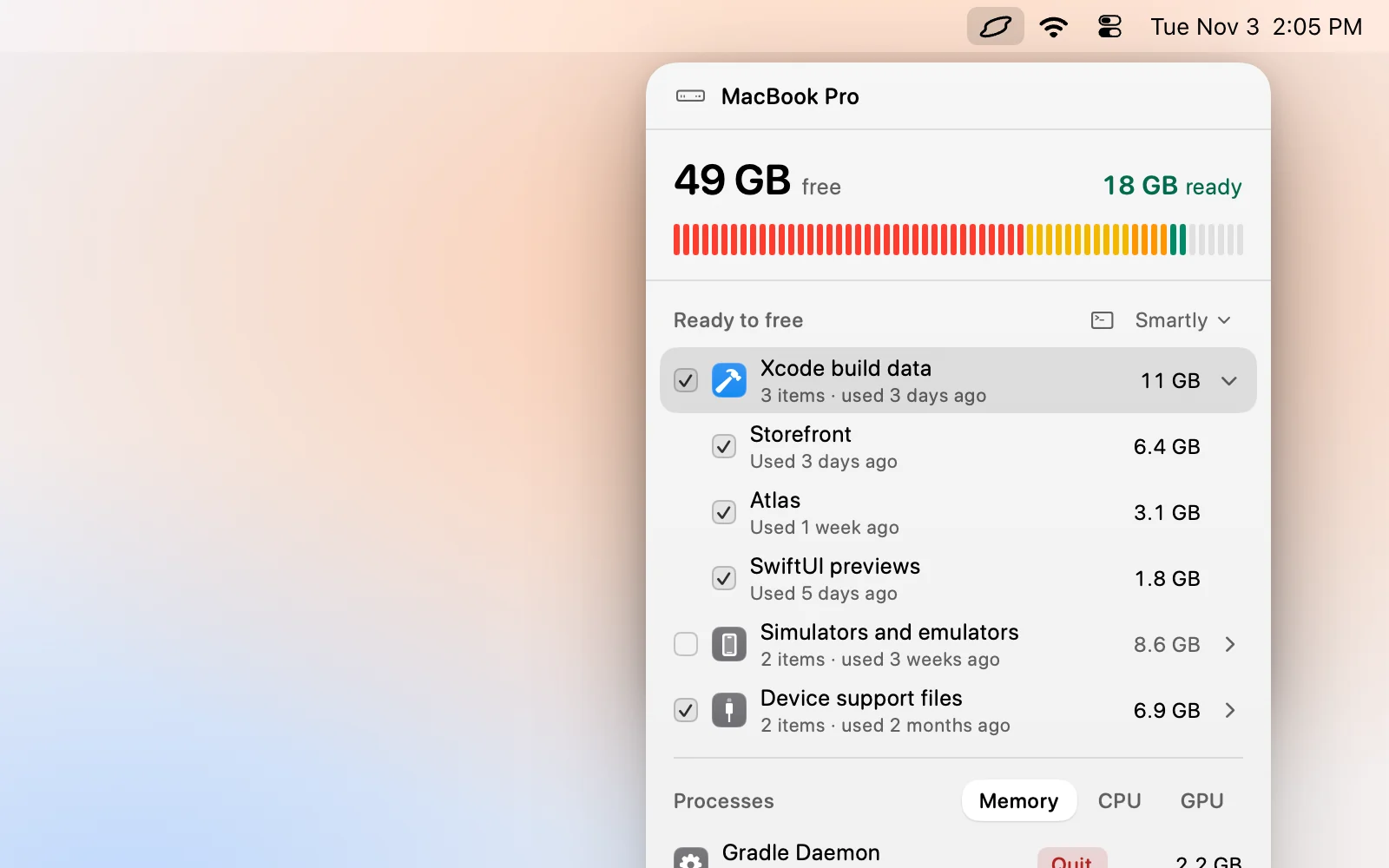
Levo lists Xcode build data, device support files, simulators and package caches as separate rows with sizes, so you see which of the above is your 80 GB. Build data and caches are ticked first when the project is old or gone. Old Xcode versions and archives are listed but never ticked for you.
Levo removes simulators with Xcode’s own simctl and skips build data while Xcode, xcodebuild or a booted simulator is running. See Levo for iOS and Mac developers.
FAQ
Why is Xcode taking up 100 GB?
Because of what it stores outside the app: build data per project, simulators and their runtimes, debug symbols for every device you connected, and archives. The app itself is about 15 GB.
Can I delete Xcode’s Library/Developer folder?
Not the whole folder. Clear DerivedData, CoreSimulator devices and DeviceSupport inside it, but leave Archives and the UserData folder, which holds your key bindings and themes, unless you mean to lose them.
Will deleting DerivedData break my projects?
No. Your source and project settings are not in it. The next build is slower while Xcode rebuilds and re-indexes.
Are simulator runtimes safe to delete?
Yes. They are downloads, so Xcode fetches them again when a project needs one. Deleting a simulator device erases the app data inside it.