
Compare · Disk maps and monitors
DaisyDisk vs Levo
DaisyDisk draws your disk as a map, so you can see where the space went at a glance. Levo shows the same space as a list, and says what each part is and whether it's safe to remove.
Quick verdict
- Pick DaisyDisk if you want to explore a disk or drive visually and decide for yourself what goes.
- Pick Levo if you want the answer, not the map: what each item is, whether it comes back, and a guard that checks it before it's deleted.
DaisyDisk at a glance
- What it is: a disk space visualiser. Its page says it shows what's using your disk space, scans as administrator, exposes "Other" and "System Data", manages macOS snapshots, scans cloud disks (Dropbox, Google Drive, OneDrive, Box) and previews files with the Space key.
- Deleting: yes. Its page says only you decide what to delete, system files are safeguarded, and deleted files are removed permanently.
- Needs: macOS 10.13 or newer, on Apple silicon or Intel.
- Trial: a free download; the page doesn't state its length or limits.
Levo at a glance
- What it is: a menubar app that watches disk, memory, CPU and GPU against limits you set. Needs macOS 26 or later.
- Who judges: your own AI agent (Claude Code, Codex and others) looks at what Levo found and says what's safe, read-only and in a sandbox. Without an agent, Levo uses its own rules for known tools.
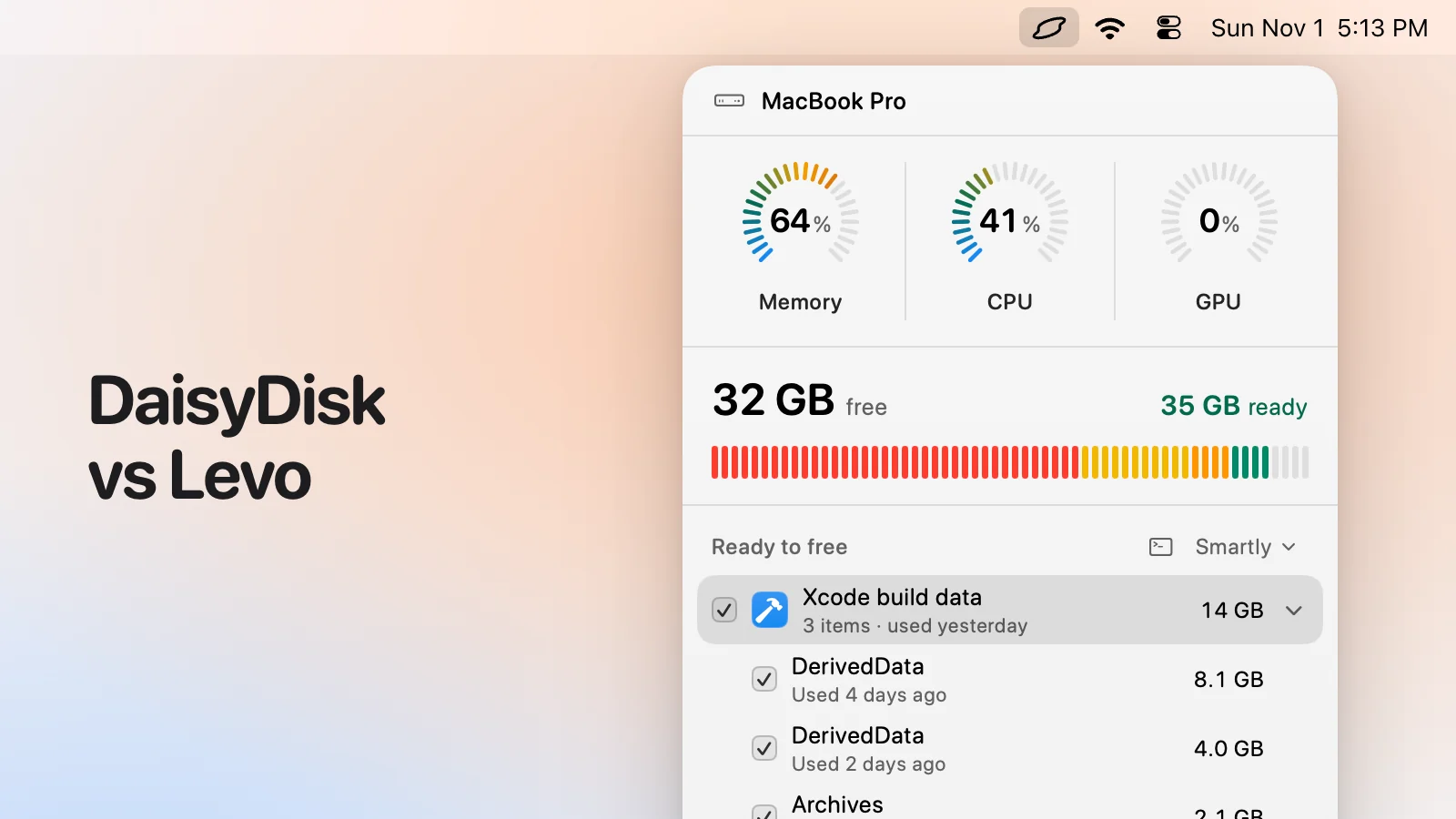
- What you see: every item with its size and the reason it's safe, grouped, with the safe ones ticked at the cleanup level you chose (Careful, Balanced or Aggressive). You tick and untick before anything goes.
- Who deletes: Levo does, never the agent, and a guard checks every item again right before it goes: open files, running apps, unsaved git work, live agent sessions, recent changes, your protected folders.
- Beyond disk: shows the processes behind memory, CPU and GPU and quits what your agent says is idle, uninstalls apps with their leftovers, and can clean on its own with Auto mode.
- Account and price: no account. Watching, suggestions and the first two cleanups are free, then a lifetime licence for 2 Macs. The price is on the Levo page.
Side-by-side
| DaisyDisk | Levo | |
|---|---|---|
| What it's for | Seeing where the space went | Freeing space safely, and watching your Mac |
| How it shows the disk | An interactive map | A list of groups and items with sizes, plus a disk bar |
| Which parts are junk | Your call | Your agent says what each item is, whether it's safe and how it comes back |
| Any folder or drive | Yes, anywhere you point it | Your home folder and drives you add |
| Waiting for a scan | Scans when you open it | A live index kept current as files change |
| Alerts | No | At limits you set, with the list ready |
| Safety checks | You choose; system files are safeguarded | A guard rechecks each item right before it goes |
| Deleting | Permanently, per its page | Permanently, or to the Trash if you turn that on |
| Memory, CPU and GPU | No | Yes |
| Minimum macOS | macOS 10.13 | macOS 26 |
Pricing
DaisyDisk is a one-time purchase of about US$9.99 (Nov 2026) with minor updates included, per its page.
Levo's watching, suggestions and first two cleanups are free, then a lifetime licence for 2 Macs. The current price is on the Levo page.
Who should pick which
DaisyDisk is a good fit if
- You want to understand a folder tree or an external drive visually.
- You'd rather decide each deletion yourself.
- You need to look at a Mac older than macOS 26.
Levo is a good fit if
- You want to be told before the disk is full, not after.
- You want to know what the 40 GB block is without researching it.
- You want Levo to avoid what's in use, and to use the official clean command where there is one.
Questions
Do I need both?
They work well together: DaisyDisk to explore, Levo to clean what's known to be safe.
Does Levo draw a map?
No. It shows a disk bar and a list. A map is the right tool for exploring, and Levo doesn't try to be one.
Which finds more?
Both can see any large folder. The difference is what happens next: DaisyDisk leaves the decision to you, and Levo gives you its agent's reasoning for each item.
Compared on 1 November 2026, from each app's own website. We make Levo.