
Compare · Mac cleaners
Mole vs Levo
Mole is a free, open-source command line tool for cleaning a Mac, and it has a native app too. Levo is a menubar app where your own agent judges what's safe and you see and tick every item.
Quick verdict
- Pick Mole if you live in Terminal, want something scriptable, or want open source you can read and change.
- Pick Levo if you want to see everything and tick what goes, have your own agent decide what's safe, and have a guard check every item before it's deleted.
Mole at a glance
- What it is: a free, open-source command line toolkit, licensed GPL-3.0. You run it as
mo. - Commands:
mo cleanfor caches, logs and leftovers;mo uninstall;mo optimize;mo analyze, an interactive disk explorer;mo status, a live health dashboard;mo purgefor rebuildable project artifacts likenode_modules;mo installerfor installer files; and more. - Safety: it has
--dry-runpreviews, sends most uninstall and analyze deletions to the Trash by default, and logs cleanup activity. - Install:
brew install moleor an install script. Per its page it can also be added as an AI agent skill. - Mole for Mac: a separate, proprietary native app with review-before-delete cleanup and leftover removal for 800+ apps, among other things. Its page doesn't list a price; see mole.fit.
Levo at a glance
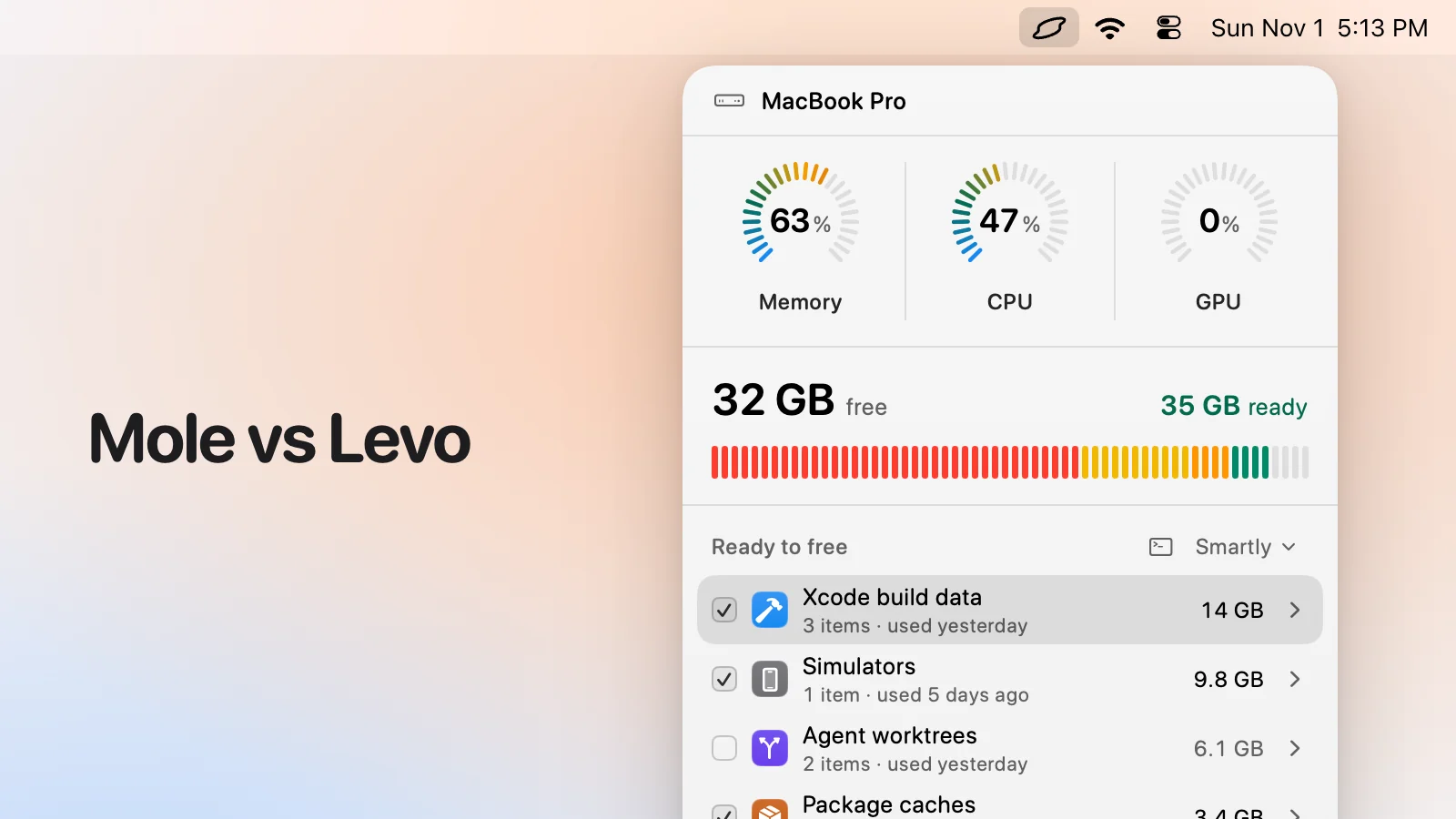
- What it is: a menubar app that watches disk, memory, CPU and GPU against limits you set. Needs macOS 26 or later.
- Who judges: your own AI agent (Claude Code, Codex and others) looks at what Levo found and says what's safe, read-only and in a sandbox. Without an agent, Levo uses its own rules for known tools.
- What you see: every item with its size and the reason it's safe, grouped, with the safe ones ticked at the cleanup level you chose (Careful, Balanced or Aggressive). You tick and untick before anything goes.
- Who deletes: Levo does, never the agent, and a guard checks every item again right before it goes: open files, running apps, unsaved git work, live agent sessions, recent changes, your protected folders.
- Beyond disk: shows the processes behind memory, CPU and GPU and quits what your agent says is idle, uninstalls apps with their leftovers, and can clean on its own with Auto mode.
- Account and price: no account. Watching, suggestions and the first two cleanups are free, then a lifetime licence for 2 Macs. The price is on the Levo page.
Side-by-side
| Mole | Levo | |
|---|---|---|
| Where you use it | Terminal (the CLI), or its separate Mac app | The menubar |
| Who decides what's junk | Rules that ship with it | Known tools as a start, then your own AI agent judges everything else |
| Seeing before it deletes | A dry run as text; the Mac app reviews first | Rows with size and reason; you tick and untick |
| Watches in the background | Run when you remember; status on demand | Yes, with alerts at your own limits |
| Safety checks | Dry run, Trash for most deletions, a log | A guard rechecks each item right before it goes; every action is journaled |
| Scriptable | Yes, that's its strength | A levo command reads state and sets settings; it can't delete |
| Open source | The CLI is GPL-3.0 | No |
| Memory, CPU and GPU | mo status shows a dashboard | The processes behind them, with your agent's advice and a Quit button |
| Minimum macOS | Not stated on its page | macOS 26 |
Pricing
The Mole CLI is free. Mole for Mac is a separate proprietary download, and its page doesn't give a price (Nov 2026).
Levo's watching, suggestions and first two cleanups are free, then a lifetime licence for 2 Macs. See the Levo page for the current price.
Who should pick which
Mole is a good fit if
- You want to run cleanups from scripts or cron.
- You prefer open source you can read.
- You'd rather have no menubar app running.
- You know what each command does and like the control.
Levo is a good fit if
- You want a visual list and to tick what goes.
- You want an agent's judgement for things Mole has no rule for.
- You want to be told at your limits, with the answer ready.
- You want a guard that rechecks every item at the moment of deleting.
Questions
Can Levo be scripted?
A little. Levo's levo command reads findings and status and sets most settings, with --json. It never deletes, quits or cleans: that stays a click in Levo.
Can I use Mole and Levo together?
Yes. They don't conflict. Some people keep Mole for scripted routines and Levo for what needs judgement.
Is Levo open source?
No. Levo is a paid app with a free tier.
Compared on 1 November 2026, from each app's own website. We make Levo.