
Levo help · Cleaning up
What is System Data on a Mac, and how Levo clears it
System Data is the catch-all in System Settings › General › Storage: everything macOS can’t put under Applications, Documents, Photos and the other bars. Most of it is in your Library folder, and much of it can go.
What’s usually inside
| Kind | Where it lives | Comes back? |
|---|---|---|
| App and browser caches | ~/Library/Caches, ~/.cache, apps’ caches in ~/Library/Containers | Yes, as apps need it |
| Logs and crash reports | ~/Library/Logs and similar | Yes, new ones |
| Leftovers of deleted apps | Application Support, Preferences, Containers | No, nothing uses them |
| Developer data | Xcode DerivedData, simulators and their runtimes, device support, Gradle and npm caches | Yes, rebuilt or downloaded again |
| Docker and virtual machines | Docker’s disk image, VM disk files | No, they hold your containers and machines |
| AI models | Ollama, LM Studio, Hugging Face | Only by downloading again |
| iPhone and iPad backups | ~/Library/Application Support/MobileSync | No |
| Temporary files | Temp folders, coding agents’ worktrees | Yes, when needed |
Storage settings sometimes counts part of the developer data under Developer instead. The rest of System Data belongs to macOS: Time Machine’s local snapshots, the swap file and sleep image, macOS’s own files, and space it can purge when it needs to.
How Levo goes through it
Levo keeps a live index of your home folder, Library and hidden folders included. It updates as files change, so there’s no full scan each time you look.
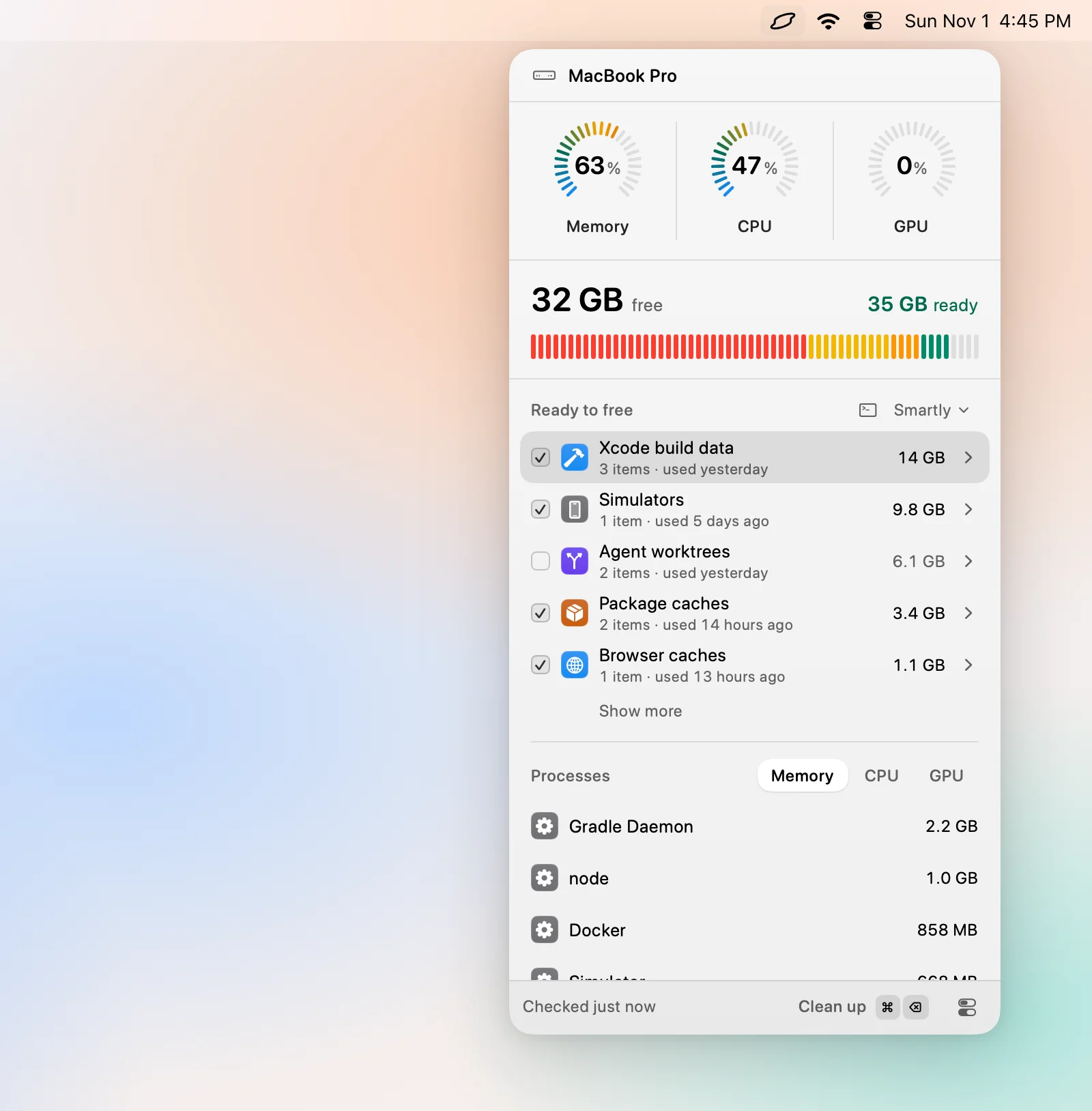
- The disk bar. In the popover, Levo splits Caches, Developer, Mail and Messages out of that space. What’s left is labelled System Data, and it’s smaller than Apple’s because Levo has named the rest.
- Ready to free. The list names what’s really in there, grouped by kind: Docker images, Simulators, Browser caches and so on. Each item shows its size and when it was last used.
- Your agent judges. Your own AI agent, such as Claude Code, Codex or Gemini, looks at each item: what it is, whether it comes back on its own, and whether it can go. See How Levo decides what’s safe.
- Levo checks again. Right before deleting, Levo checks every item once more against the list below.
Backups, virtual machines, models and large files are listed but never ticked for you. They’re cleaned only if you tick them.
Without Full Disk Access, Levo can’t look inside other apps’ containers, Mail or Messages, so part of System Data stays unnamed.
What Levo never touches
- Keychains, SSH keys and credential files.
- The Photos, Mail and Messages libraries.
- Anything in use, or changed in the last few minutes.
- Items in iCloud.
What Levo leaves to macOS
- Time Machine’s local snapshots. macOS thins them itself when space runs low.
- The swap file, sleep image and macOS’s own files. They’re macOS’s to manage.
- Purgeable space. Levo counts it as free, as Finder does. See Free space looks different in Finder.
So after a cleanup, System Data in Storage settings shrinks, but it won’t reach zero.