
Levo guides · AI models and coding agents
Where Hugging Face stores models on a Mac, and how to delete them
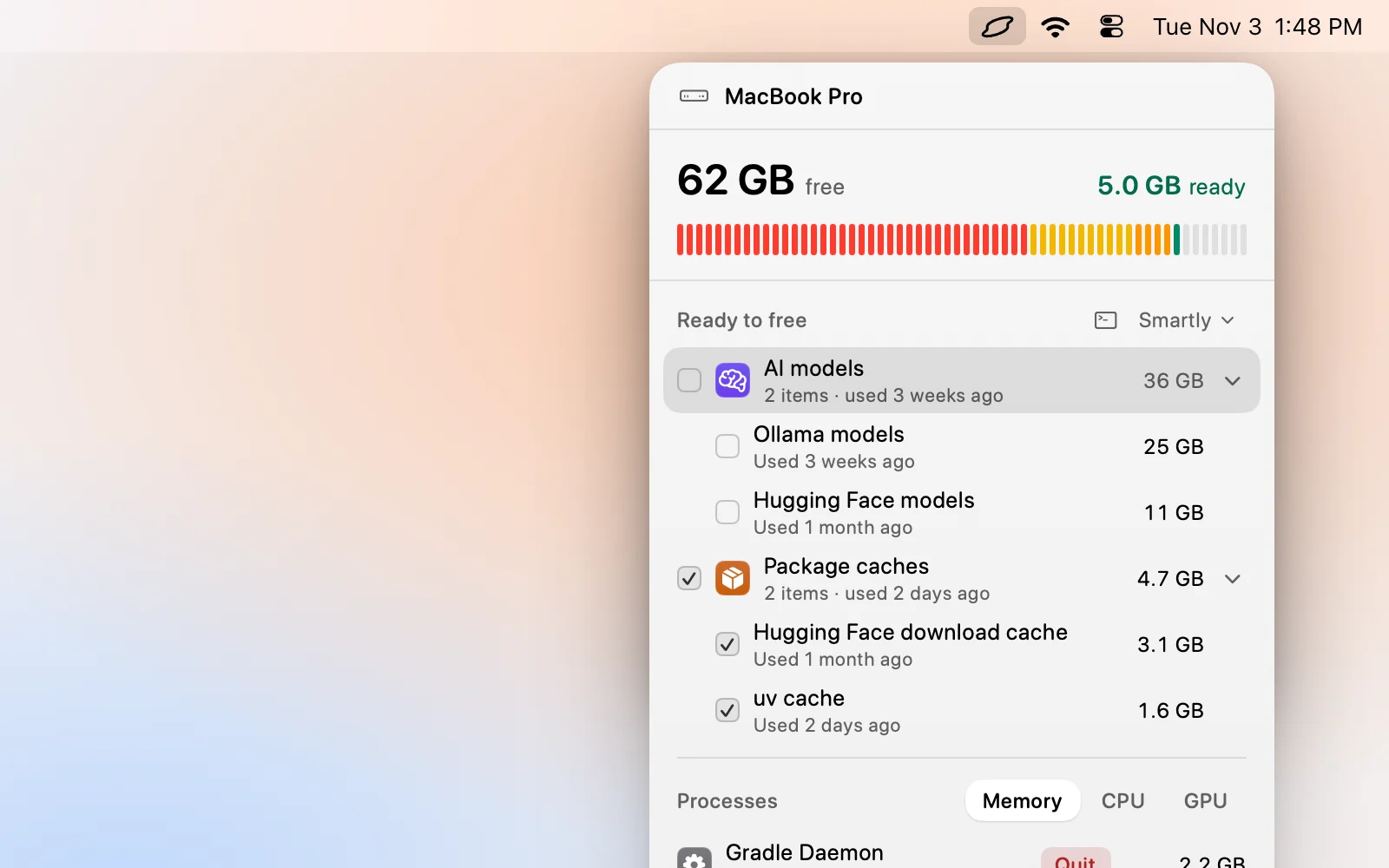
Hugging Face keeps every model and dataset you download in ~/.cache/huggingface, mostly under hub. Run huggingface-cli scan-cache to see what is there and huggingface-cli delete-cache to pick what goes. Anything in it can be downloaded again, if it is still online.
| What | Where | Notes |
|---|---|---|
| Models | ~/.cache/huggingface/hub/models--org--name | One folder per repo |
| Datasets | ~/.cache/huggingface/hub/datasets--org--name | Can be very large |
| Older datasets cache | ~/.cache/huggingface/datasets | Arrow files made by the datasets library |
| Xet chunks | ~/.cache/huggingface/xet | Download cache, safe to clear |
| Token | ~/.cache/huggingface/token | Your login. Keep it, or log in again |
How to do it yourself
- Install the command if you don’t have it:
pip install -U "huggingface_hub[cli]". Newer versions also ship it ashf. - Scan the cache. It prints each repo, its size on disk, and when it was last used:
huggingface-cli scan-cache- Delete interactively. The command shows a list; move with the arrows, select with space and confirm with return:
huggingface-cli delete-cacheInside each model folder, blobs holds the real files and snapshots holds symlinks to them for each revision. Revisions of the same model share blobs, so deleting a snapshot folder by hand can leave blobs behind. Use the command, or delete the whole models--org--name folder.
Moving the cache. Set HF_HOME (everything) or HF_HUB_CACHE (the hub only) in your shell profile to a folder on an external drive. Tools that use transformers, diffusers or mlx-lm all follow it.
export HF_HOME=/Volumes/Fast/huggingfaceBefore you delete, check that a model is not a private or gated repo you needed access for, or one that has since been taken down. If a script loads it by name, it will download again on the next run.
The same models may also be in Ollama or LM Studio, each with its own copy. For the rest of your AI folders, see AI clutter on a Mac.
Reading the scan output
The scan lists each repository with its type (model or dataset), its size on disk, how many revisions are cached and when it was last accessed and modified. Sort by size in your head and start at the top. The "last accessed" column is the one to trust for deciding what to delete.
Revisions are the surprise. When a model repo is updated, the library downloads the changed files and keeps the old ones, so a repo you loaded twice can be nearly double the size. delete-cache lets you select individual revisions as well as whole repos, which removes the stale ones and keeps the latest.
Datasets can be bigger than models. A single speech or image dataset is tens of gigabytes, and the datasets library keeps both the raw download and the processed Arrow copy. If you finished the project, both can go.
MLX, Diffusers and Whisper tools on a Mac often use this cache too, so one folder can hold files from several apps. If a tool fails after a clean-up with "model not found", it is only fetching the model again; run it once while online.
How Levo does it
Levo shows Hugging Face models and datasets as rows in the AI models group, each with its size. They are listed but never ticked by Select › Smartly: you tick the ones you want gone, because a model costs time and bandwidth to fetch again.
Your agent helps by saying what each model is and when it was last used. Levo checks again before deleting. See Levo for AI and ML work.
FAQ
Where does Hugging Face store models on a Mac?
In ~/.cache/huggingface/hub, one folder per repo named models--organisation--name. Set HF_HOME or HF_HUB_CACHE to change the location.
How do I delete Hugging Face models?
Run huggingface-cli scan-cache to see them, then huggingface-cli delete-cache to select the ones to remove. You can also delete a models-- folder in the hub folder.
Is it safe to delete the Hugging Face cache?
Yes, if you can download the models again. Private, gated or removed models can’t be fetched, so check those first.
Why is the Hugging Face cache so large?
Every model, dataset and revision you load is kept, and big models are tens of gigabytes. Nothing removes old ones automatically.