
Levo guides · AI models and coding agents
AI clutter on a Mac: where models, caches and agent files pile up
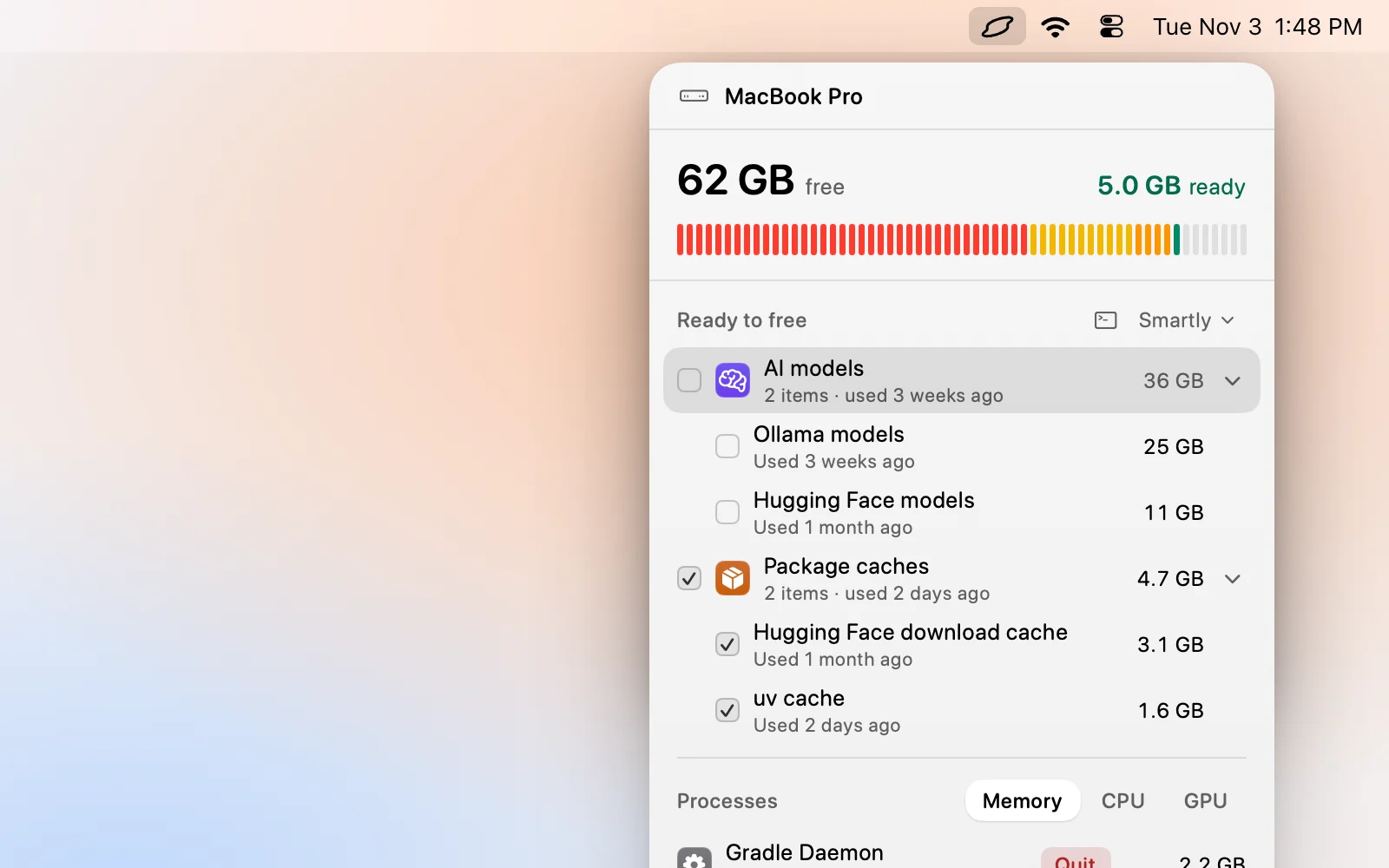
AI work fills a Mac in two ways: models, which are 2 to 40 GB each, and the history that coding agents keep, which adds up quietly. Models you chose are yours to judge. Caches and old agent sessions are the safe part, since nothing needs them to run.
| What | Where | Typical size | Safe to delete? |
|---|---|---|---|
| Ollama models | ~/.ollama/models | 2 to 40 GB each | Yes, but you download again |
| Hugging Face cache | ~/.cache/huggingface/hub | 1 to 30 GB per model | Yes, it downloads again |
| LM Studio models | ~/.lmstudio/models | 2 to 30 GB per file | Yes, but you download again |
| PyTorch, Whisper, NLTK | ~/.cache/torch, ~/.cache/whisper | 0.1 to 5 GB | Yes |
| pip, uv and conda caches | ~/Library/Caches/pip, ~/.cache/uv | 1 to 10 GB | Yes |
| Python environments | Inside project folders and ~/miniconda3/envs | 1 to 10 GB each | If the project is gone |
| Claude Code sessions | ~/.claude/projects | Hundreds of MB to several GB | Old ones, yes |
| Codex sessions | ~/.codex/sessions | Hundreds of MB | Old ones, yes |
| Agent worktrees | .claude/worktrees in repos, and other agents’ folders | Each is a full checkout | Once merged and clean |
How to do it yourself
Size the usual suspects in one go:
du -sh ~/.ollama ~/.cache/huggingface ~/.lmstudio ~/.cache/torch ~/.cache/uv ~/.claude ~/.codex ~/.gemini 2>/dev/null | sort -hThen deal with each in this order.
- Models first, because they are the biggest. List them with the tool that downloaded them: Ollama, Hugging Face and LM Studio. Remove the ones you tried once.
- Python caches:
pip cache purgeanduv cache clean. See how to clear pip, uv and conda caches. - Old environments: find and delete old Python virtual environments.
- Agent history: Claude Code sessions and Codex and Gemini sessions.
- Agent worktrees: remove old git worktrees, after checking each is clean.
Models are the one thing here that you may not be able to get back. A fine-tune, or a model that was taken down, is only on your disk. Check before deleting, and don’t delete by hand inside a tool’s models folder.
Where the space usually is
On a Mac used for local models, almost the whole total is models: three or four of them at 5 to 20 GB, tried once, and often the same one in two tools. Next come Python environments with PyTorch inside, each 2 to 6 GB, one per experiment.
On a Mac used mainly with coding agents, the picture is different. Models are absent, and the space is in transcripts, tool output and worktrees. One long Claude Code or Codex session with big tool output can be tens of megabytes, and a heavy month produces a few gigabytes. Each agent worktree repeats the repo plus its dependencies.
That is why the order matters. Look at models only if you run them locally, and look at sessions and worktrees only if you use agents. If you do both, models are the bigger prize and sessions are the easier delete. Skip anything you can’t name, and check with the tool’s own list command before removing a file.
How Levo does it
Levo groups these as AI models, Python caches and Agent and editor history, each with a size and a reason. Models are listed and never ticked for you, whatever the cleanup level, so a model only goes when you tick it. Caches and old sessions are ticked by Select › Smartly.
Your own agent says what each model is and when it last ran, which Finder can’t tell you. Levo uses a tool’s own clean command where there is one, and leaves anything a running Ollama or agent has open. See Levo for AI and ML work and Coding agents leave a mess.
FAQ
Why is my Mac full of AI files?
Models are large, and each tool keeps its own copy: Ollama, LM Studio and Hugging Face don’t share. Agents also keep every session and sometimes a full worktree per task.
Which AI files are safe to delete?
Caches, old agent sessions and merged worktrees are safe. Models are safe to delete only if you can download them again, so check before removing a fine-tune.
Do Ollama and LM Studio share models?
No. Each stores its own copy in its own folder, so the same model can be on disk twice.
How do I see how big my AI folders are?
Run du -sh on ~/.ollama, ~/.cache/huggingface, ~/.lmstudio, ~/.claude and ~/.codex, or open a disk map and look under your home folder.