
Levo guides · Developers: everything else
How to clean Rust target folders and the Cargo cache
Rust’s space goes to two places: each project’s target folder, which cargo clean empties, and the shared Cargo cache in ~/.cargo. Both come back on the next build or fetch, so the cost is compile time and a download.
| What | Where | Safe to delete? |
|---|---|---|
| Build output | <project>/target | Yes, the next build recompiles |
| Downloaded crates | ~/.cargo/registry | Yes, fetched again when needed |
| Git dependencies | ~/.cargo/git | Yes, cloned again when needed |
| Installed tools | ~/.cargo/bin | No, those are cargo install programs |
| Toolchains | ~/.rustup/toolchains | Unused ones, with rustup |
Why target folders get so big
Cargo compiles every dependency from source, into the project’s target folder, once for debug and once for release, with incremental data on top. A mid-size project reaches 2 to 10 GB, and a large workspace (a web framework, a game engine) can pass 20 GB. Each project has its own, so ten projects is ten copies of the same compiled crates.
How to do it yourself
One project
cd ~/Developer/my-crate
cargo clean
cargo clean --release
cargo clean deletes the whole target folder. --release removes only the release output and keeps debug, and -p <crate> cleans a single package of a workspace. The cost is a full rebuild, which for a big project is minutes, so do it for projects you aren’t working on.
Find every target folder
find ~ -name target -type d -prune -exec test -f {}/../Cargo.toml \; -print 2>/dev/null | xargs du -sh | sort -hIf you want it automated, cargo-sweep removes build files older than a number of days across a folder tree:
cargo install cargo-sweep
cargo sweep --time 30 -r ~/Developer
If you set CARGO_TARGET_DIR or build.target-dir, all your projects share one build folder elsewhere. Clean that one instead, and it will be even bigger.
The Cargo cache
~/.cargo/registry holds the crate index, the downloaded .crate archives and their unpacked sources. ~/.cargo/git holds clones and checkouts of git dependencies. Together they are commonly 1 to 5 GB. The cargo-cache tool trims them safely:
cargo install cargo-cache
cargo cache
cargo cache -a
cargo cache -e
cargo cache prints a summary. -a (--autoclean) removes the unpacked sources and git checkouts, which are rebuilt from the archives. -e (--autoclean-expensive) also recompresses git repositories. If you don’t want to install anything, you can delete ~/.cargo/registry/src and ~/.cargo/registry/cache by hand and cargo downloads what it needs next time.
Leave ~/.cargo/bin and ~/.cargo/config.toml alone. The first holds cargo, rustc, rustup and every tool you added with cargo install. The second holds your settings, and a cleaned cache will not recreate it.
Old toolchains
rustup toolchain list
rustup toolchain uninstall nightly-2025-03-01
Every toolchain is 500 MB to 1.5 GB. Pinned nightlies for a project, and stable versions from a year ago, are the usual extras. Removal is safe unless a project’s rust-toolchain.toml asks for that exact one, in which case rustup downloads it again.
Rust projects also run into the usual developer leftovers. Compare with developer disk cleanup, and for the rest of the toolchain list see how to clear the Go build and module cache.
How Levo does it
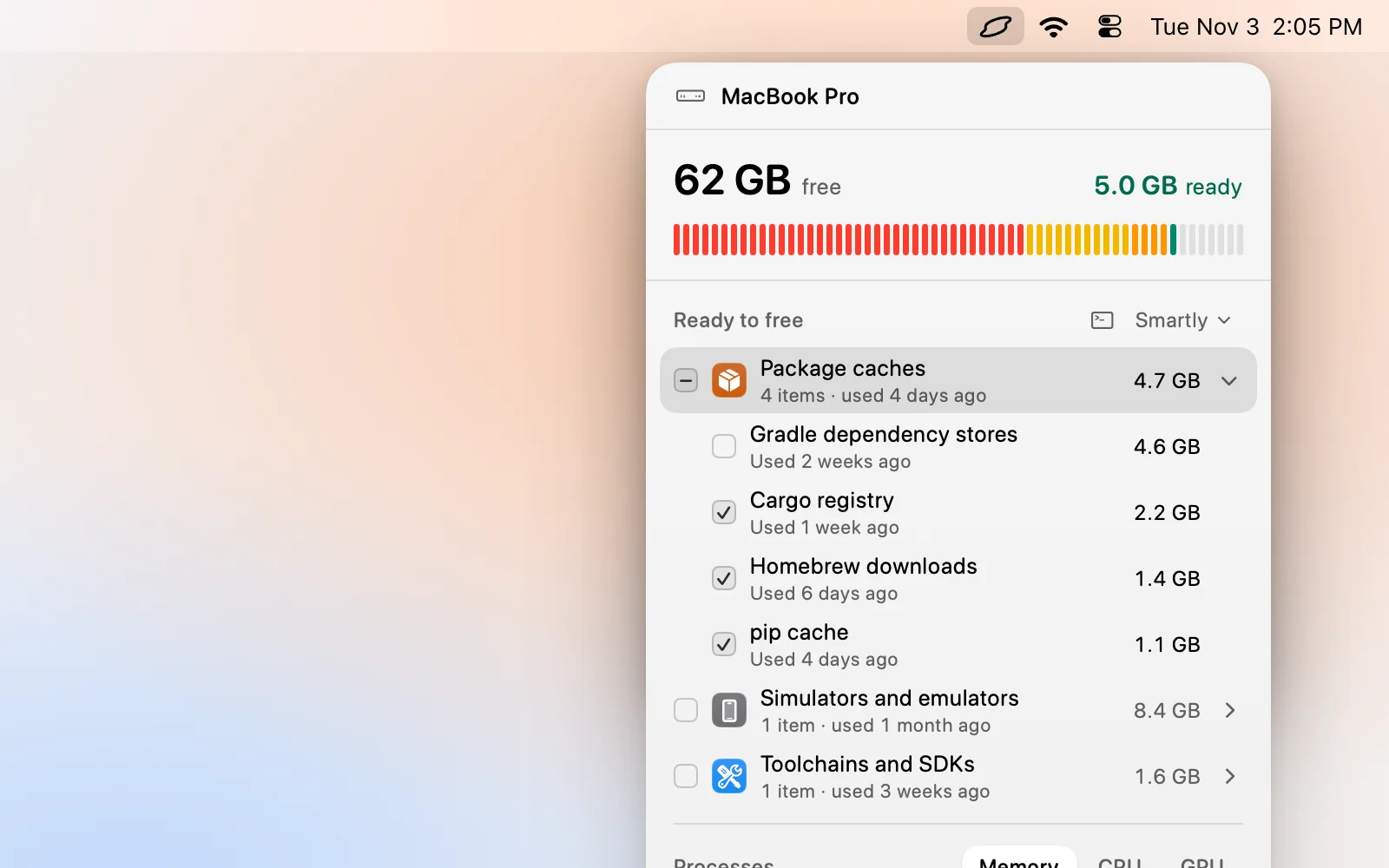
Levo recognises Rust projects’ target folders and lists them in Ready to free, with a size and a reason, and your agent can add the Cargo caches. You don’t need find or cargo-sweep to get that list.
Your agent decides which projects are idle. Levo ticks a target folder only when nothing is running in it: no cargo process, no rust-analyzer holding it open, no coding agent session. It never touches ~/.cargo/bin. The agent can only read, and Levo does the deleting, after checking again.
You choose a cleanup level, tick what goes and press Clean up. Move to Trash lets you put it back, though a rebuild is usually faster than a restore. Levo for web developers covers Python, Ruby, PHP, Rust and Go. Two cleanups are free, then there’s a lifetime licence.
FAQ
Is it safe to run cargo clean?
Yes. It deletes the target folder, which only holds build output. Your source code and Cargo.lock are not touched. The next build recompiles everything, which can take minutes for a large project.
Why is my Rust target folder so big?
Cargo builds every dependency from source for debug and release, plus incremental data. 2 to 10 GB per project is common, and large workspaces pass 20 GB.
Can I delete ~/.cargo?
Not all of it. ~/.cargo/registry and ~/.cargo/git are caches and can go. ~/.cargo/bin has cargo, rustc and your installed tools, and ~/.cargo/config.toml has your settings.
How do I share one build folder between projects?
Set CARGO_TARGET_DIR or build.target-dir in ~/.cargo/config.toml. Crates compiled with the same settings are reused, which saves space and time, but cleaning it affects every project.
Do I need to keep old Rust toolchains?
Only the ones a project asks for in rust-toolchain.toml. Run rustup toolchain list, and uninstall the others. Each is around 500 MB to 1.5 GB.