
Levo guides · System Data
Why is System Data so big on a Mac?
System Data is large because it is the leftover bucket: anything macOS can’t file under Apps, Documents, Photos or Mail lands there. On most Macs the biggest parts are caches, Time Machine snapshots and, for developers, Xcode, Docker and simulators.
| Who you are | Usual culprits | Often |
|---|---|---|
| Everyone | App and browser caches, logs, local snapshots, swap | 10 to 40 GB |
| Uses iPhone or iPad | Device backups in MobileSync | 5 to 60 GB each |
| Video and audio | Render files, proxy media, sound libraries | 20 to 200 GB |
| Developer | DerivedData, simulators, Docker, node_modules caches | 50 to 300 GB |
| Runs local AI | Ollama, LM Studio and Hugging Face models | 10 to 200 GB |
| Runs virtual machines | Parallels, UTM and Fusion disk files | 30 to 150 GB each |
How to do it yourself
Apple gives you one number and no breakdown, so measure it yourself. Start with the places that are almost always responsible.
du -sh ~/Library/Caches ~/Library/Logs ~/Library/Developer 2>/dev/null
du -sh ~/Library/Application\ Support/MobileSync 2>/dev/null
du -sh ~/Library/Containers ~/Library/Group\ Containers 2>/dev/null
sudo du -sh /private/var/vm /Library/Updates 2>/dev/null
tmutil listlocalsnapshots /
Containers is the one that surprises people. Sandboxed apps keep their data and caches there, and a chat app, a Docker install or a photo editor can hold tens of gigabytes.
Two parts you can’t fix by deleting. Swap grows when you run more than your RAM holds, and shrinks after a restart. Local snapshots are APFS copies Time Machine keeps for 24 hours, and macOS thins them on its own when space runs low.
If the total looks far bigger than anything you can find, restart and check again. A long-running Mac with heavy memory pressure can carry several gigabytes of stale swap.
What macOS puts there, and why it feels random
Apple’s Storage settings has a short list of named categories: Applications, Documents, Photos, Mail, Messages, iCloud Drive and a few more. Everything that doesn’t fit one of them goes into System Data, and the list of what doesn’t fit is long.
- Caches and logs from every app and from macOS itself. They grow quietly and are rarely cleaned by the apps that make them.
- Developer tools. Xcode may show some of its data under Developer, but simulators, device support and package caches often stay in System Data.
- Time Machine local snapshots and swap, which change from hour to hour and can swing the total by 20 GB or more.
- Plug-ins, fonts, voices and language data installed by apps and by macOS. Each is small, but together they add several gigabytes.
- Leftovers from apps you deleted by dragging them to the Trash. The app is gone, its Application Support and container folders are not.
That is why two people on the same macOS version can see 15 GB and 150 GB. It is not a bug, and it is not one big file. It is hundreds of small and medium ones.
How Levo does it
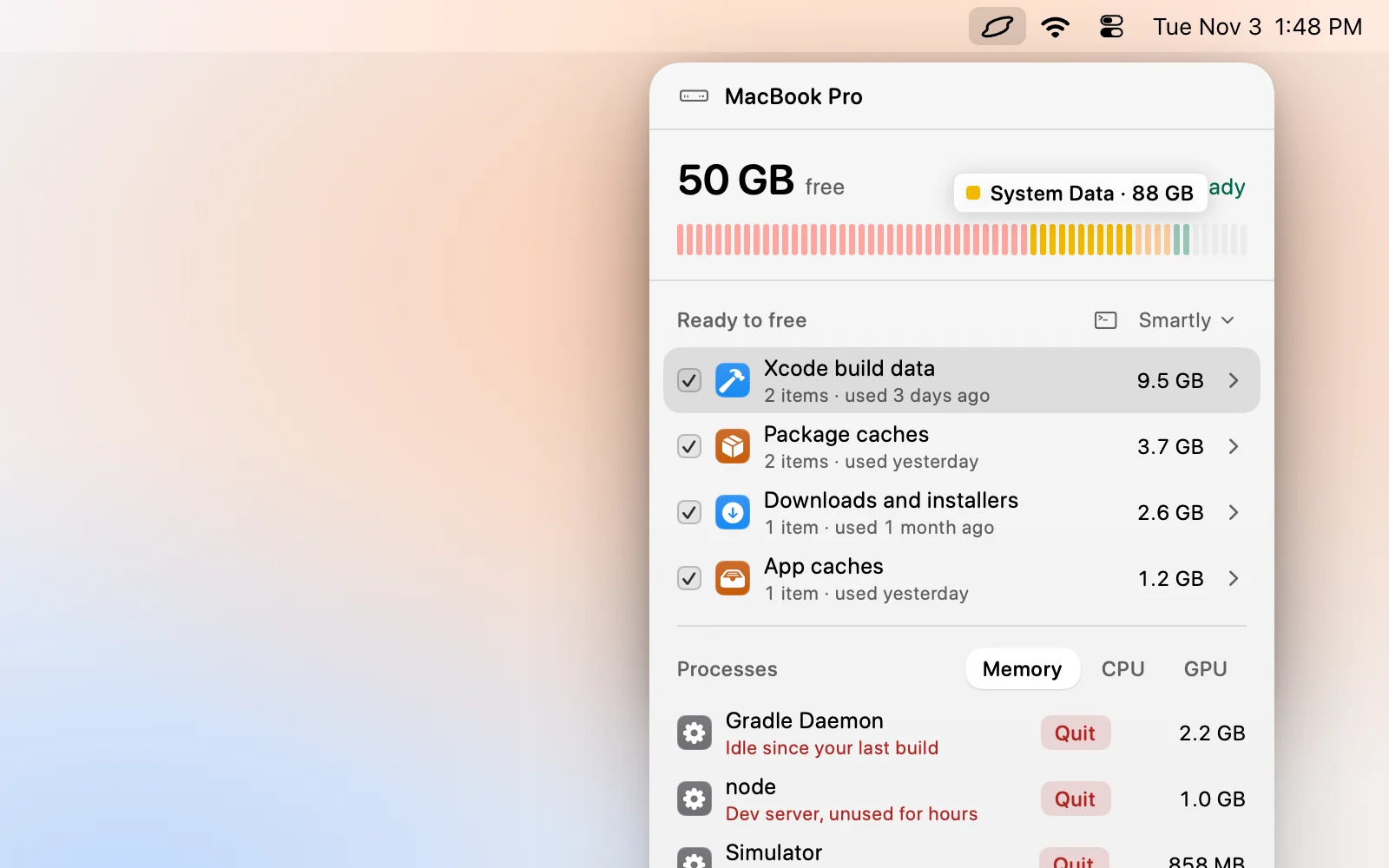
Levo’s disk bar splits Caches, Developer, Mail and Messages out of that space and names the rest as System Data, so the number is smaller than Apple’s because more of it has a name. The Ready to free list then shows the real contents by kind with a size and a reason, which answers “why is it so big” without any du commands.
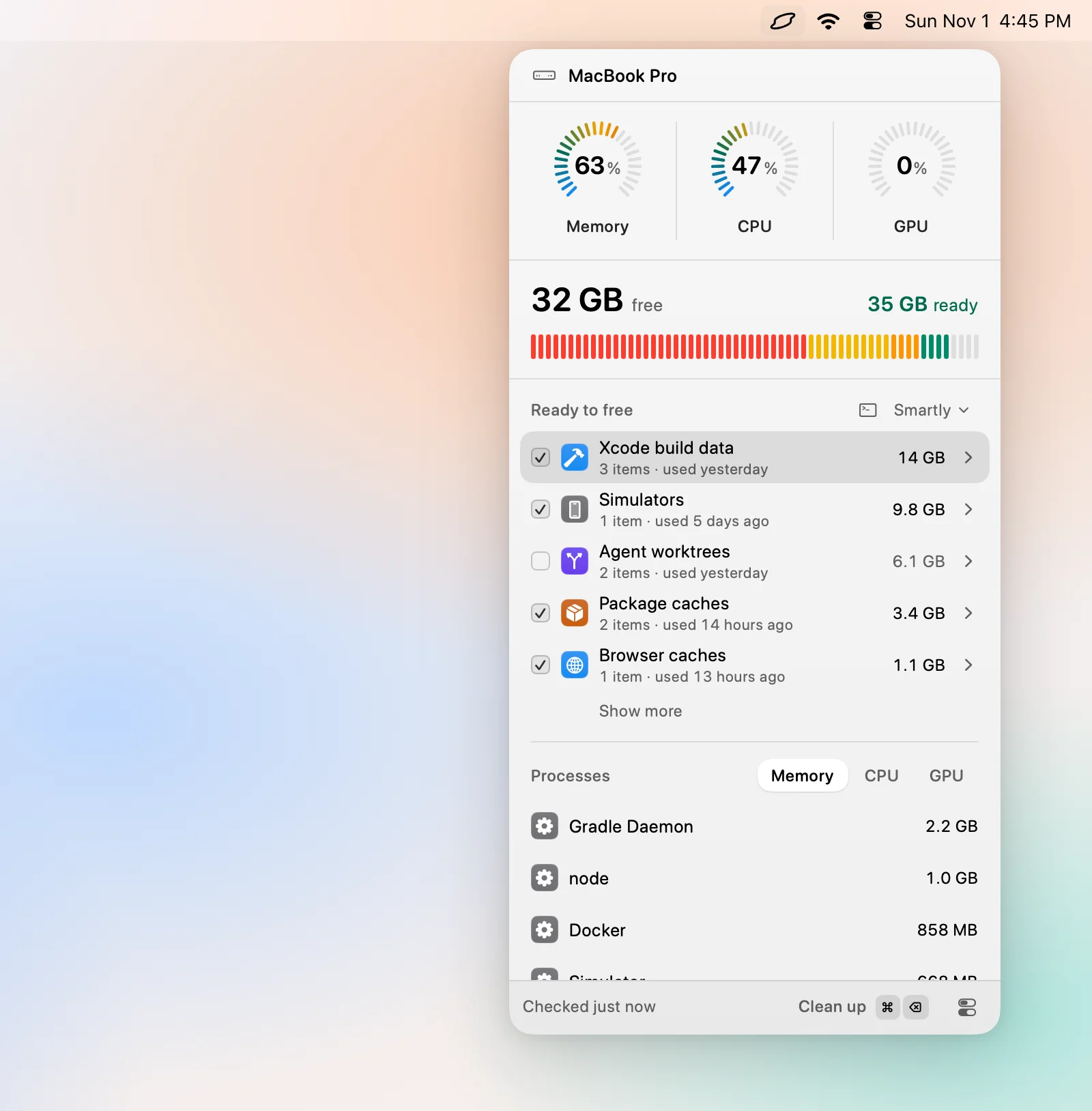
Your own AI agent reads the list and says what is safe to remove and what comes back by itself. Levo does every deletion, and you tick what goes. Without Full Disk Access, Levo can’t look inside other apps’ containers, so some of it stays unnamed.
FAQ
Is a big System Data normal?
Yes, up to a point. Tens of gigabytes is normal for caches, snapshots and swap. Over 100 GB almost always means developer data, VMs, models or old backups.
Is System Data the same as Other?
It replaced the old Other category in macOS Ventura. The idea is the same: files that don’t fit the named categories.
Does System Data count my iCloud files?
No. Files kept only in iCloud take little space on the Mac. Downloaded copies count under Documents or the app that owns them.
Why does mine differ from another Mac with the same disk?
What you use decides it. A Mac with Xcode, Docker or video projects can hold ten times more than one used for mail and browsing.