
Levo guides · Memory, CPU and GPU
MacBook hot and fans loud: find the app causing it
A hot MacBook with loud fans means something is using a lot of CPU or GPU. Open Activity Monitor, sort the CPU tab by % CPU, and look at the top three rows. Quit or fix those, and the fans usually settle within a minute.
| Usual cause | How it shows up | What to do |
|---|---|---|
| Runaway build or dev tool | Java, node, clang, swift-frontend at 100%+ | Stop the build, quit the daemon |
| Browser tab or extension | Helper (Renderer) or GPU process high | Close the tab, check extensions |
| Spotlight indexing | mds_stores, mdworker after an update or big copy | Wait; it settles |
| Cloud sync | fileproviderd, cloudd, Dropbox | Pause sync, let it finish |
| kernel_task high | Shows high because macOS is cooling the Mac | See the kernel_task guide |
| Video call or screen recording | GPU and video encoder high | Close other tabs, lower resolution |
| Charging while under load | Warm chassis, not necessarily a fault | Move it onto a hard surface |
| Old or runaway agent session | node, python or claude processes busy | Stop the session |
How to find the app causing it
- Open Activity Monitor and click the CPU tab. Sort by % CPU, highest first.
- Anything steadily over 50 to 100% for minutes is a suspect. A short spike is normal.
- Check the Energy tab too: Energy Impact and 12 hr Power show what has drained the battery over the day.
- Also look at the GPU column. Video calls, games and design apps heat a Mac through the GPU, not the CPU.
- Quit the app normally. If it will not quit, select it and use the stop button, then Force Quit.
From Terminal, the top five CPU users:
ps -Aceo pid,pcpu,comm -r | head -6What is usually behind it
Developer tools. A Gradle or Kotlin daemon, a watch-mode dev server, a test runner that never exited, Docker's VM. These can keep running long after the work finished. See idle dev servers and daemons.
Browsers. One tab with a video, a web app that polls constantly, or an extension gone wrong. Chrome shows these as "Google Chrome Helper" rows. See Chrome Helper using CPU and memory.
macOS housekeeping. After an update or a large file copy, Spotlight and Photos analyse in the background for hours. It is loud but harmless and ends on its own. See Mac slow after a macOS update.
The environment. A hot room, a blocked vent, a charger on a soft bed or a heavy load on a clamshell Mac with an external display all make fans louder with ordinary work. If nothing in Activity Monitor is high, check these first.
kernel_task using lots of CPU is not the cause: it is macOS deliberately using CPU time to cool the machine down. Fix the heat source instead. See kernel_task high CPU.
Cooling the Mac down right now
- Quit the top offender and wait a minute.
- Put the Mac on a hard, flat surface. Beds, sofas and laps block the vents.
- Unplug the charger if you can. Charging adds heat, and on some Macs it limits performance when the Mac is also under load.
- If you have set High Power Mode in System Settings › Battery, switch it to Automatic. High Power Mode allows louder fans on purpose.
- Close the lid on an external display setup only if the Mac has airflow. Many clamshell setups trap heat.
Checking temperature and thermal state
macOS does not show temperature in the menu bar. You can see its thermal state, and what it is doing about heat, in Terminal:
pmset -g thermlog
sudo powermetrics --samplers thermal,cpu_power -i 2000 -n 1
If the log says the CPU speed limit is below 100, macOS is throttling to cool down, and the Mac is slow as well as hot. Finding and stopping the load is the fix.
When nothing is high
If Activity Monitor shows nothing above a few percent and the Mac is still hot, check three things. First, whether it is just a warm room or direct sun. Second, whether the vents are clear of dust: a can of compressed air helps on Intel Macs. Third, whether it only happens with an external display or dock, which can draw a lot of power. If the fans run flat out with an idle Mac, Apple Diagnostics (hold the power button at startup, then ⌘D) can test the fans.
How Levo does it
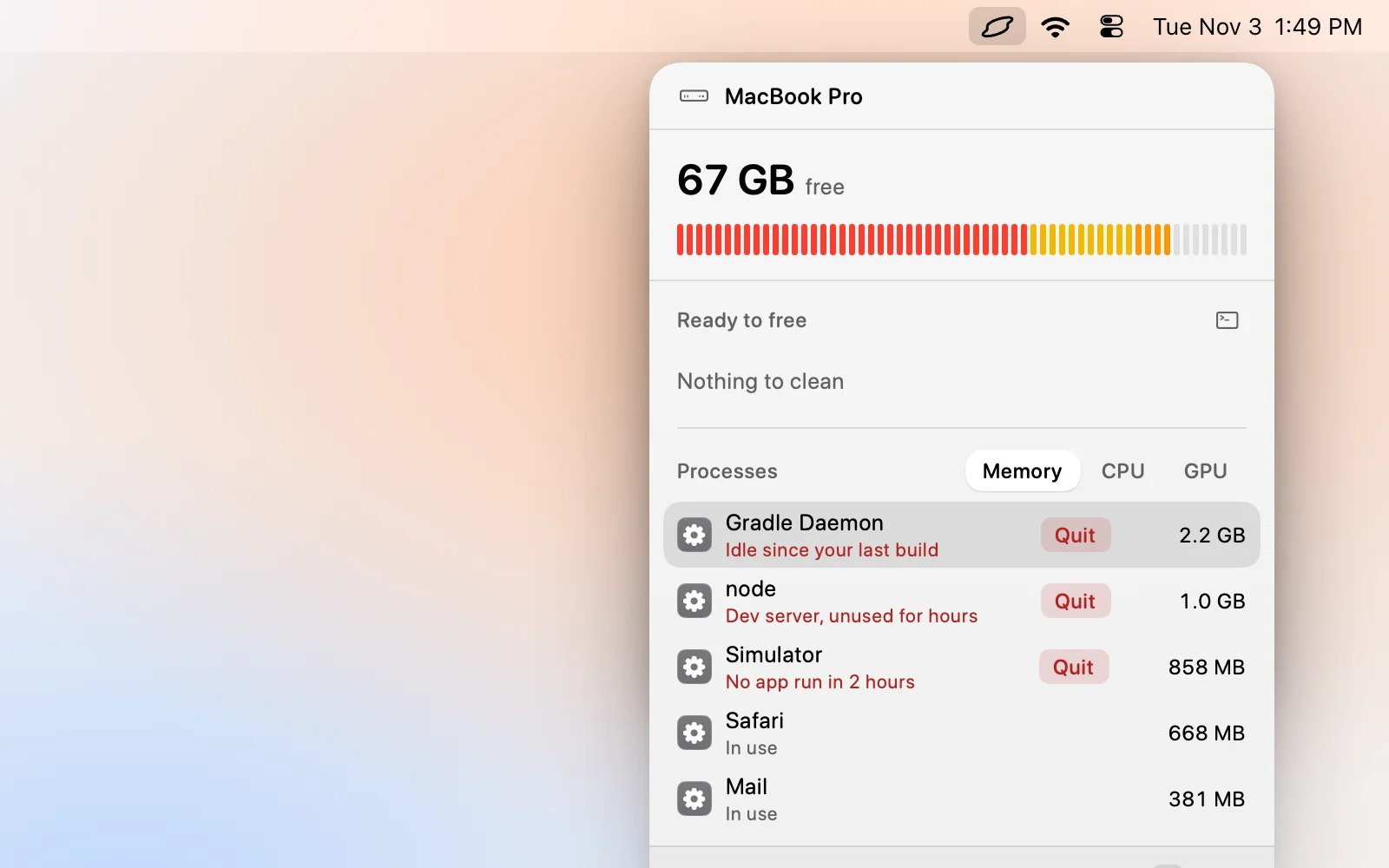
Levo sits in the menu bar with CPU and GPU meters, and a limit you choose for each. When the Mac runs hot and a meter stays over its limit, Levo notifies you with the cause already named: for example "Gradle daemon idle 3 h" or "node dev server on port 3000, idle since yesterday", with a Quit button.
Your own agent CLI judges which process is wasting the Mac and which you are using, and Levo quits it for you. Levo never quits system processes such as kernel_task, WindowServer, Finder or Dock.
Levo is not a fan controller and does not change fan speed. It finds the work that is making the fans spin. Read Free memory, CPU and GPU for how the Processes list works.
FAQ
Why is my MacBook so hot when I am not doing anything?
Something is running in the background: a runaway process, indexing after an update, a cloud sync, or a browser tab. Sort Activity Monitor by CPU to find it.
Is it bad if my Mac gets hot and the fans run loud?
Short bursts under heavy work are normal and Macs are built to handle them. It is only a problem when it is constant with nothing demanding running.
Will restarting a hot Mac help?
Often, yes, because it ends runaway processes. If the heat returns within minutes, find the app responsible instead of restarting again.
Can cleaning software fix a hot Mac?
Only if it finds the busy process. A cleaner that deletes caches will not cool a Mac. Look at CPU and GPU, not disk.
What is a normal temperature for a MacBook?
Warm to the touch under load is normal. Apple silicon Macs are built to run warm. Constant heat with an idle Mac is not.
Why does my MacBook get hot while charging?
Charging adds heat, and doing heavy work at the same time adds more. Moving to a hard surface or finishing the heavy task usually fixes it.