
Levo guides · What's that process?
kernel_task high CPU on a Mac
kernel_task is macOS itself, and you can't quit it. High CPU there is usually the Mac holding other work back to cool down, or heavy traffic through the hardware. Fix the heat or the device, not the process.
What kernel_task is
It's the kernel: memory management, drivers, USB and Thunderbolt, power and thermal control. Everything on the Mac talks to it, so it always shows in Activity Monitor and is often near the top of the CPU column.
On Intel Macs it has one more job. When the chip gets too hot, kernel_task deliberately occupies CPU time so other apps get less of it and the machine cools. A kernel_task at 300 to 500% with everything else sluggish is that. Apple silicon Macs run cooler and throttle more quietly, so you see it far less, but the same causes can still push it up.
Why it spikes
| Cause | What you notice | What helps |
|---|---|---|
| Heat: hot room, blocked vents, a soft surface | Fans loud, Mac warm, everything slow | Hard flat surface, clear vents, cooler room |
| A runaway app or build | One app at high CPU, kernel_task rises with it | Quit the app that is working hard |
| A faulty or cheap USB-C hub, dock or cable | Spikes when it's plugged in, gone when it isn't | Unplug it, try another |
| A driver, kernel extension or VPN network extension | High from startup, no obvious app | Update or remove that software |
| Constant disk or network traffic | kernel_task high while the CPU is otherwise calm | Find what is reading or writing |
How to look into it yourself
- Open Activity Monitor, click the CPU tab and sort by % CPU. Note the top three processes and whether the fans are running.
- Quit the top app normally. If
kernel_taskdrops within a minute, it was following that app's heat. - Unplug everything: hub, dock, display, drives. Watch
kernel_taskfor a minute, then add them back one by one. A single bad cable can hold it at 200% for hours. - Check whether macOS is limiting the chip. This prints thermal warnings if it is:
pmset -g thermlog - Turn on Low Power Mode in System Settings › Battery if the work is light but the Mac is warm. It caps the clocks before heat does.
- Restart once. A restart clears a stuck thermal or driver state more often than you'd expect.
- On an Intel Mac that's still wrong after all this, reset the SMC. Apple's steps depend on whether the Mac has a T2 chip.
Don't try to kill kernel_task. macOS won't allow it, and the Mac would have nothing to run on if it did.
What counts as normal
A kernel_task at 20 to 40% during a big build or a file copy is normal: it's doing the work for those apps. It's a problem when the Mac is slow, hot and the number stays high with nothing demanding open. Treat it as a symptom. It tells you something else is wrong, and the cause is almost always another app, the room or a cable.
If it only happens on the lid closed with an external display, or when charging from a particular port, that points at the cable or the dock, not the Mac.
Should you quit it?
You can't. Quit what makes it busy.
Terminal checks for kernel_task
Two commands tell you whether it's heat or something else. The first lists the top CPU users once, so you can see what kernel_task is competing with. The second prints macOS's thermal and speed-limit state. If it shows a CPU speed limit under 100, the Mac is throttling on purpose.
top -o cpu -l 1 -n 8 -stats pid,command,cpupmset -g thermIf the limit reads 100 and kernel_task is still high, suspect a device: unplug the dock, and check ioreg -p IOUSB to see what is attached. A hub that reconnects over and over shows up there as a device that keeps appearing. On Intel Macs the fan curve is also worth a look in a quiet room: a fan that never spins while the Mac is hot points at a sensor or SMC issue, which is a repair or an SMC reset.
How Levo does it
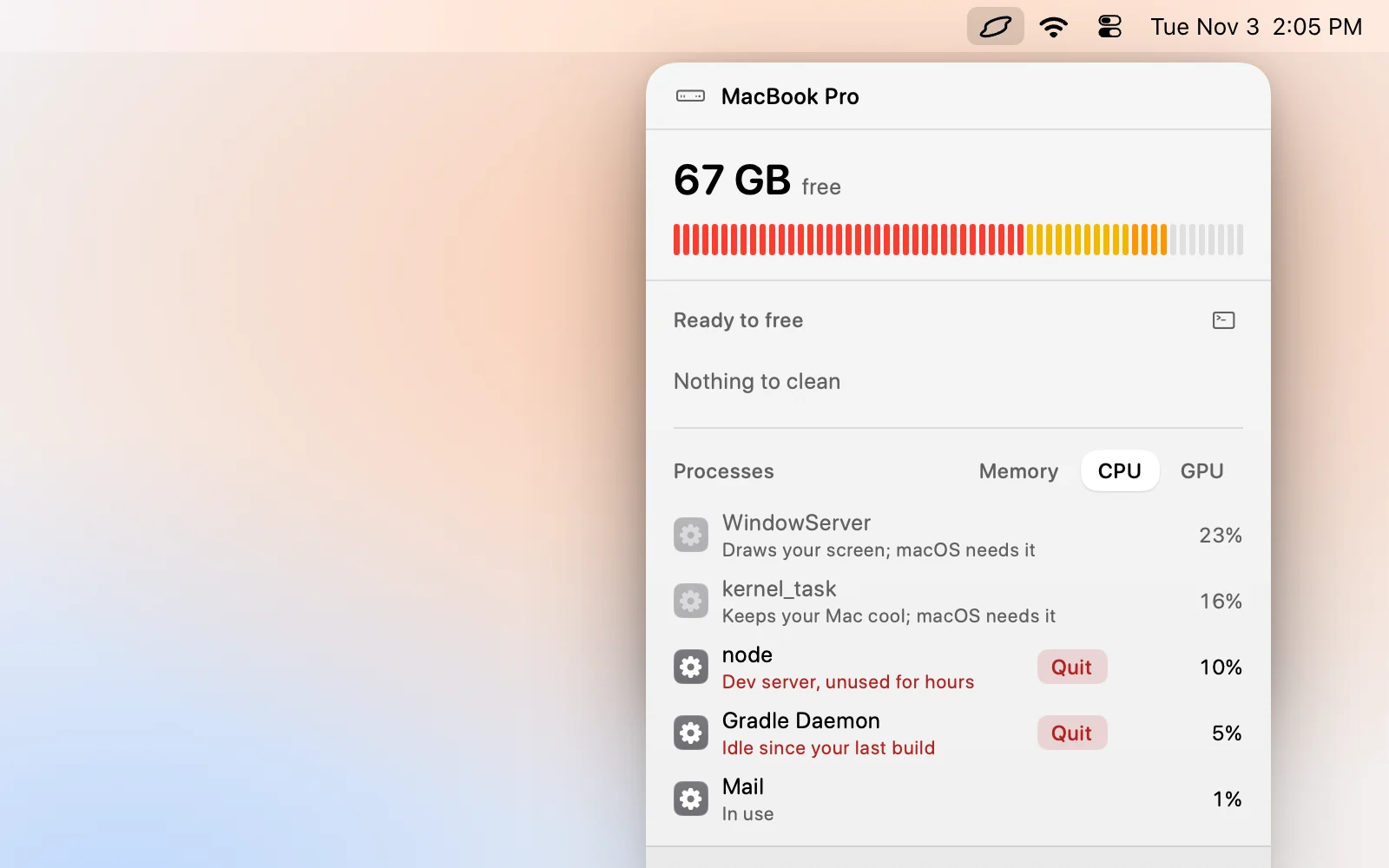
Levo never quits system processes such as kernel_task, WindowServer, Finder or Dock, so it won't offer to stop this one.
What Levo does show is what's pushing it. The same list ranks your apps by CPU and GPU, and your agent marks the ones that are idle but still working: a dev server nobody is using, a stuck build, a browser tab. You quit those, and the heat usually goes with them. A CPU alert in Settings › Memory, CPU and GPU, with a time it has to last, tells you when it happens, so a short spike doesn't bother you.
The steps are in Free memory, CPU and GPU by quitting what's idle. Two free cleanups, then a lifetime licence.
FAQ
Can I force quit kernel_task?
No. It's the kernel, and macOS doesn't let you. Quit the apps that heat the Mac or unplug the device that triggers it.
Why is kernel_task using 500% CPU?
On a Mac that's too hot, it's using CPU time on purpose so other apps can't. Cool the Mac or stop the heavy app and it drops.
Is kernel_task a virus?
No, it's part of macOS. Malware doesn't replace the kernel, so a high number doesn't mean you're infected.
Will reinstalling macOS fix kernel_task?
Almost never. Try the hub, cable and display, then a restart, before anything drastic.
Does kernel_task go down by itself?
Yes, once the Mac cools or the load that heated it stops. It usually falls within a minute or two.
Does a case or a lap make kernel_task worse?
Yes. Soft surfaces and cases block the vents, which makes the Mac hot, and that is what sets it off.