
Levo guides · AI models and coding agents
How to remove old git worktrees safely
Run git worktree list to see them, check each with git status, then remove it with git worktree remove <path>. Never rm -rf a worktree you haven’t checked: it may hold uncommitted work, or a branch that was never merged. Each one is a full checkout, plus its node_modules and builds.
| Where agents put them | Typical path | Notes |
|---|---|---|
| Claude Code | <repo>/.claude/worktrees/<name> | Made for isolated tasks |
| Codex | ~/.codex/worktrees/<id>/<repo> | Made for each task or thread |
| Cursor | ~/.cursor/worktrees/<repo>/<id> | Made for parallel agents |
| Conductor | ~/conductor/workspaces/<repo>/<name> | One per workspace |
| Your own | Anywhere you ran git worktree add | Check git worktree list |
How to do it yourself
- From the main repo, list every worktree. The path and branch are shown, and a missing folder is marked
prunable:
git worktree list- For each one you might remove, check for uncommitted changes and for commits that exist nowhere else:
git -C <path> status --short
git log main..<branch> --oneline- If both are empty, remove it. Git refuses if the tree is dirty, which protects you:
git worktree remove <path>- Delete its branch when it is merged.
-drefuses an unmerged branch, and that is the one to look at:
git branch -d <branch>- If someone already deleted the folder by hand, clean up git’s records with
git worktree prune.
Use git worktree remove --force and git branch -D only after you have looked at the diff and decided the work is not wanted. Work in a dirty or unmerged worktree isn’t anywhere else. A locked worktree needs git worktree unlock first.
Agent worktrees are the usual cause of a repo that grows without anyone noticing, since each task adds a checkout. Their sessions are separate files: see Claude Code sessions and Codex sessions. The dependencies inside each one are covered in how to delete node_modules folders.
Why agents leave so many
Agents create a worktree per task so parallel runs don’t collide, and few of them remove it when the task ends. A busy month produces dozens, and each one is a complete working copy. With node_modules installed, that is hundreds of megabytes to a few gigabytes apiece.
The safe signal is simple. A worktree is done when its branch is merged into main (or pushed and a pull request closed), and git status shows nothing. git branch --merged main lists the merged branches in one command; any worktree on one of those branches can go.
Unmerged branches deserve a look first. git log main..branch shows the commits that exist only there, and git diff main...branch shows the change. If an agent made something you still want, merge it or push the branch before removing the folder. Branches survive git worktree remove, so the commits are not lost, but uncommitted files in a dirty tree are.
Finally, run git worktree prune after you delete any worktree folder yourself, and git worktree list again to confirm it matches what is on disk.
How Levo does it
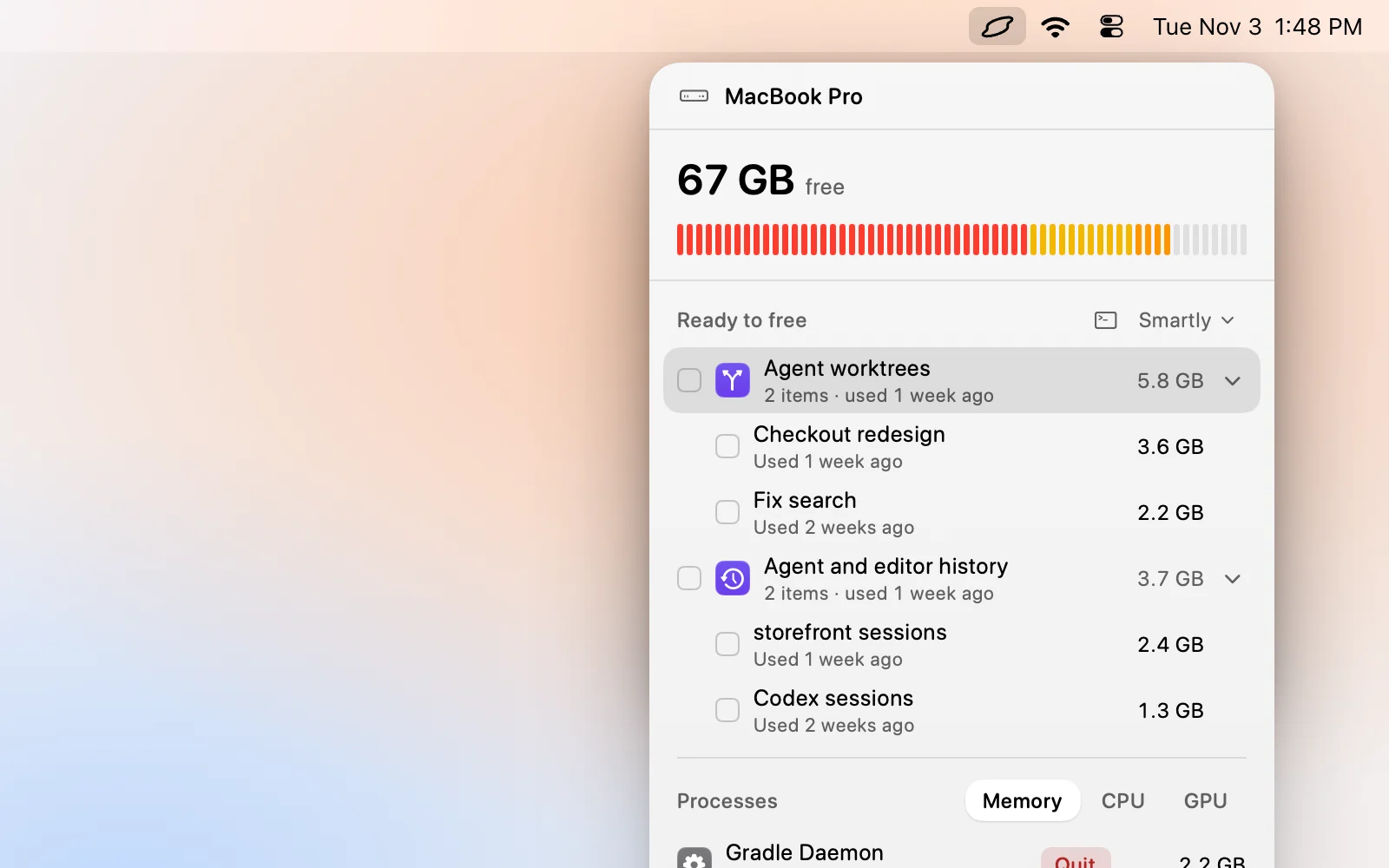
Levo lists Agent worktrees with their size and a reason, including those in Claude Code, Codex, Cursor and Conductor folders. A worktree is cleaned only when its git state is clean and merged, and nothing in it has changed in the last few minutes.
A worktree with uncommitted work or an unmerged branch stays unticked, and a live agent session locks its row. You decide the rest. See Coding agents leave a mess.
FAQ
How do I list git worktrees?
Run git worktree list in the main repo. It shows each path, its commit and its branch, and marks folders that no longer exist as prunable.
How do I remove a git worktree?
Run git worktree remove with its path. Git refuses if the worktree has uncommitted changes, unless you add --force.
Can I just delete the worktree folder?
You can, but git keeps a record of it. Run git worktree prune afterwards to clean that up. Check for uncommitted work first, since deleting the folder loses it.
Where do coding agents put their worktrees?
Claude Code uses .claude/worktrees in the repo, and Codex, Cursor and Conductor use their own folders in your home folder. Run git worktree list to see them all.