
Levo guides · Uninstalling apps
How to uninstall Android Studio on a Mac completely
Dragging Android Studio to the Trash removes about 1 GB. The SDK in ~/Library/Android/sdk, the emulators in ~/.android/avd and Gradle’s cache in ~/.gradle are what hold the space, often 20 GB or more, and none of them go with the app.
| What | Where | Safe to delete? |
|---|---|---|
| Android Studio app | /Applications/Android Studio.app | Yes |
| Android SDK | ~/Library/Android/sdk | Yes, if no other IDE or tool uses it |
| Emulators (AVDs) | ~/.android/avd | Yes, re-creatable; data inside them goes |
| Keystores and ADB keys | ~/.android/debug.keystore, adbkey | Back up release keystores first |
| Gradle cache | ~/.gradle | Yes, if you have no other Gradle projects; re-downloaded |
| Settings and plugins | ~/Library/Application Support/Google/AndroidStudio<version> | Yes |
| Caches and logs | ~/Library/Caches/Google/AndroidStudio<version>, ~/Library/Logs/Google/AndroidStudio<version> | Yes |
| Preferences and saved state | ~/Library/Preferences/com.google.android.studio.plist | Yes |
| Environment variables | ANDROID_HOME in ~/.zshrc | Remove the lines |
How to do it yourself
Back up first
- Release keystores. If you publish apps, your upload or signing keystore (
.jksor.keystore) may sit in your project or home folder. Losing it can lock you out of updates, so copy it somewhere safe and note its passwords. ~/.android/debug.keystoreis regenerated and safe to lose.- Your projects are wherever you saved them, not in the folders below.
Remove emulators and the SDK
If you want to remove only the emulators and system images, you can keep the SDK. How to delete Android emulators and SDK system images covers that. To remove everything:
rm -rf ~/.android/avd
rm -rf ~/Library/Android/sdk
If the SDK lives somewhere else (check Settings › Languages & Frameworks › Android SDK or your ANDROID_HOME), delete that folder instead. Flutter, React Native and Unity can use the same SDK, so check that none of them points at it.
Remove the app and its settings
- Quit Android Studio and stop any running emulators.
- Drag
/Applications/Android Studio.appto the Trash. - The settings folders carry the version in their names, such as
AndroidStudio2025.2. Remove them all:
rm -rf ~/Library/Application\ Support/Google/AndroidStudio*
rm -rf ~/Library/Caches/Google/AndroidStudio*
rm -rf ~/Library/Logs/Google/AndroidStudio*
rm -f ~/Library/Preferences/com.google.android.studio.plist
rm -rf ~/Library/Saved\ Application\ State/com.google.android.studio.savedState
Leave ~/Library/Application Support/Google itself alone. It’s shared with Chrome and other Google apps; only the AndroidStudio* folders inside it are yours to delete.
Gradle and the rest
~/.gradle holds downloaded dependencies and wrapper distributions for every Gradle project on the Mac, not only Android ones. Deleting it is safe, but each project re-downloads what it needs on the next build. See How to clear the Gradle cache if you’d rather trim it.
rm -rf ~/.gradle
rm -rf ~/.android/cache
Finally, open ~/.zshrc and ~/.zprofile and remove the ANDROID_HOME and PATH lines that point into ~/Library/Android/sdk. Also check for a JDK that Android Studio bundled: it lives inside the app, so it goes with it, but one you installed separately stays.
Check what’s left
du -sh ~/.android ~/.gradle ~/Library/Android 2>/dev/null
find ~/Library -maxdepth 3 -iname "*androidstudio*" 2>/dev/null
How Levo does it
Levo’s Ready to free list shows Gradle and package caches with sizes and reasons, and the Processes list flags an idle Gradle daemon with the agent’s verdict, so you can see what’s worth freeing before you decide to remove the IDE.
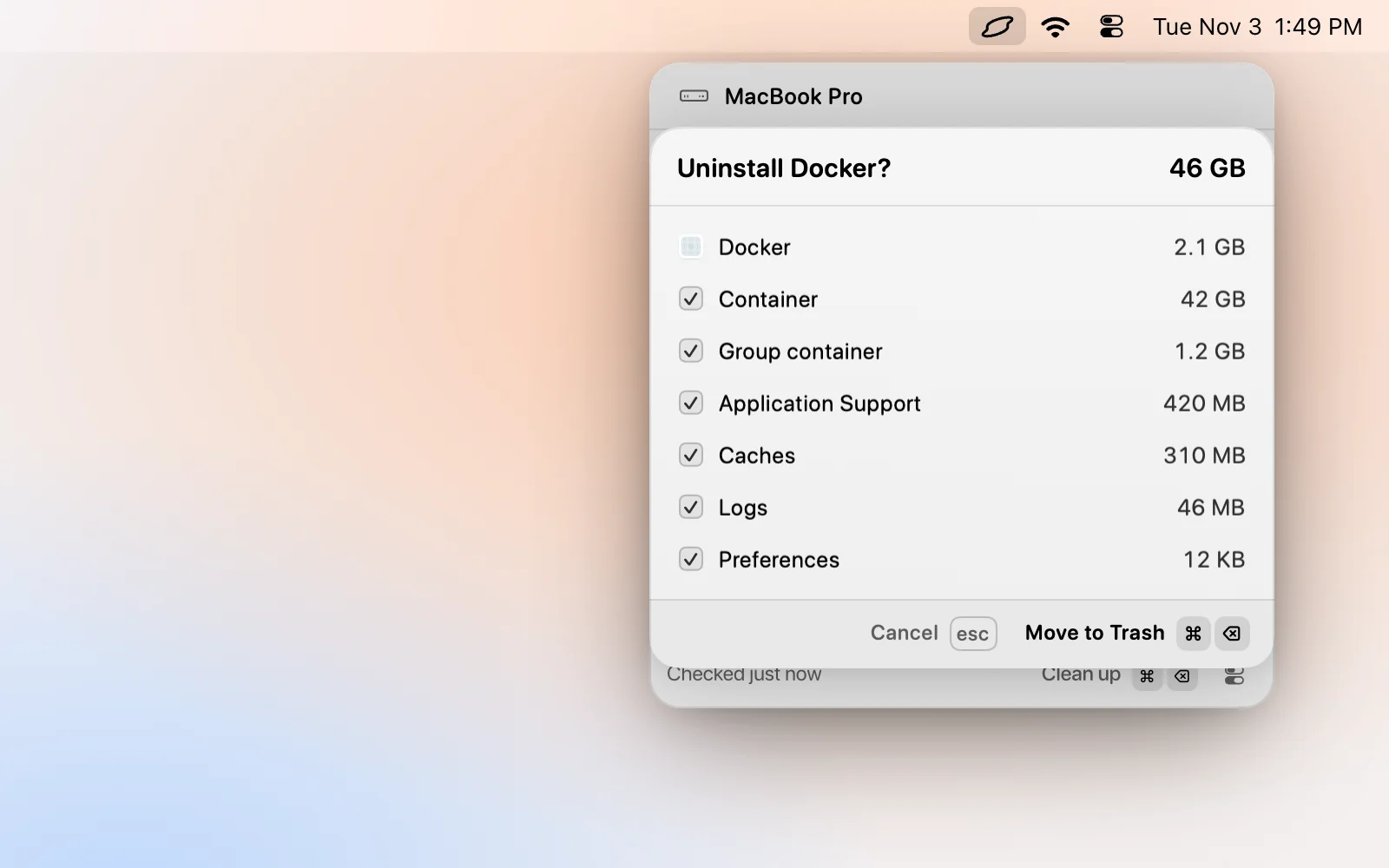
To uninstall, press ⌘K and type “uninstall android studio”. The confirm step lists the app and its leftovers, such as Application Support, caches and preferences, with their sizes, and you untick anything to keep. Levo never touches SSH keys or credential files, but a keystore is your call, so back it up yourself. The SDK and ~/.gradle are separate choices you make from the list or by hand. See Levo for Android developers and Uninstall apps and their leftovers. Uninstalls go to the Trash, and Put back in ⌘K restores the app with its leftovers for a day.
FAQ
Does deleting Android Studio delete the SDK?
No. The SDK is in ~/Library/Android/sdk and stays after the app is removed, along with emulators in ~/.android/avd and the Gradle cache in ~/.gradle. Delete them separately if you want the space.
Is it safe to delete ~/.gradle?
Yes. It’s a cache of downloaded dependencies and Gradle versions, and every project downloads what it needs again on the next build. It does mean a slow first build for each project.
What should I back up before removing Android Studio?
Release or upload keystores, and the passwords for them. The debug keystore is regenerated automatically, and your projects are stored wherever you saved them.
Will Flutter or React Native still work?
Not without an Android SDK. If they use the SDK in ~/Library/Android/sdk, keep that folder, or install the command line tools and point ANDROID_HOME at the new location.