
Levo help · Start here
What Levo does
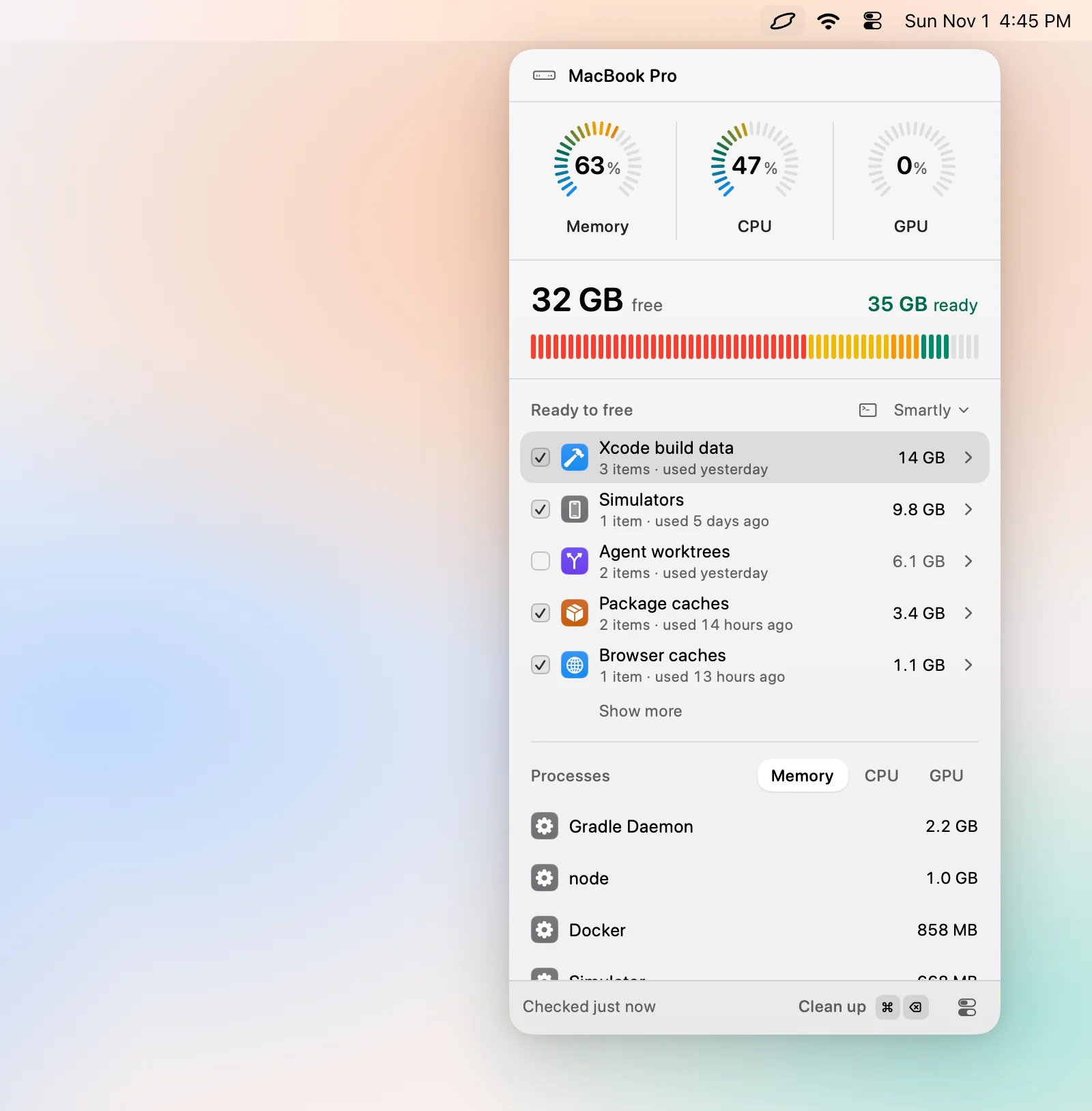
Levo sits in your menubar and watches your disk, memory, CPU and GPU. When something runs short, your own AI agent has already looked at what's safe to remove or quit, and Levo cleans it when you say so.
The three parts
- Levo watches. It keeps a live picture of what fills your disk and what your Mac is busy with, and checks it against limits you set.
- Your agent judges. An AI agent you already use, such as Claude Code or Codex, looks at what Levo found and says what's safe to clean and why. It can only read. Nothing it says can delete a file or quit an app.
- You decide. Levo lists what's ready to free, ticks what looks safe, and cleans only what stays ticked.
What you see
A small icon in the menubar opens the popover: disk, memory, CPU and GPU at a glance, and a list called Ready to free, grouped by what each thing is, with sizes. When a limit is crossed, a notification arrives with the answer already in it, for example "12 GB left. 34 GB safe to clean."
What it can do
- Free disk space: caches, build files, old installers, leftovers and anything else your agent finds that comes back on its own or isn't used any more.
- Free memory, CPU and GPU by quitting what's idle or runaway.
- Uninstall apps with their leftovers.
- Clean on its own with Auto mode, if you turn it on.
- Run every action from the keyboard with ⌘K.
What it won't do
Levo never touches Photos, Mail, Messages, iCloud Drive, keychains, SSH keys or any folder you protect. It leaves alone anything that's open or in use, and anything that changed in the last few minutes. See how Levo decides what's safe.
What it costs
Watching your Mac and seeing suggestions are free, and so are your first two cleanups. After that, a lifetime licence for 2 Macs unlocks cleaning. See Licence.
What you need
A Mac on macOS 26 or later. For suggestions, an agent installed and signed in; without one Levo still works from its own rules. There's no Levo account.