
Levo guides · System Data
Can you delete System Data on a Mac?
No, you can’t delete System Data with one click, and you shouldn’t try to remove the whole thing. It mixes files that are safe to delete, files that come back, and files macOS needs to run. Sort them first.
| Safe to delete? | What | What happens |
|---|---|---|
| Yes | Caches, logs, crash reports | Rebuilt as needed |
| Yes | Xcode DerivedData, unavailable simulators | Rebuilt or downloaded |
| Yes | Leftovers of apps you removed | Nothing uses them |
| Yes, but think | iPhone backups, AI models, VM disks | Gone for good, or a long download |
| Let macOS do it | Local snapshots, swap, sleep image | Managed automatically |
| No | /System, /private/var/db, keychains, app databases | Apps or macOS stop working |
How to do it yourself
Delete in the safe rows from top to bottom. Quit the app that owns a cache before you remove it.
- In Finder, choose Go › Go to Folder (⇧⌘G) and open
~/Library/Caches. Move the contents of the largest folders to the Trash. - Empty the Trash. Nothing is freed until you do.
- For build data, run:
rm -rf ~/Library/Developer/Xcode/DerivedData
xcrun simctl delete unavailable- For old Time Machine snapshots, ask macOS to thin them:
sudo tmutil thinlocalsnapshots / 10000000000 4Check each path with ls before an rm -rf, and never run one with sudo on a path you typed from memory. A wrong path with sudo can delete a lot more than you meant.
If a cache refuses to delete, the app is still running. If something in /System refuses, leave it: the system volume is read-only and sealed on purpose.
The mistakes that cause trouble
Nearly all the damage from deleting System Data comes from the same few habits.
- Deleting a folder because its name sounds temporary.
tmp,varanddbin system locations are in use. Stick to your own~/Library/Cachesand~/Library/Logs. - Turning off System Integrity Protection to delete more. It is the lock that keeps macOS bootable. Nothing you want to free needs it off.
- Deleting a container while the app is open. The app may recreate it empty and lose your data. Quit first.
- Treating backups and models as caches. An iPhone backup or a model you trained is not rebuilt for you. Check before you delete.
- Trusting a tool that promises to “delete System Data”. There is no such switch. A tool can remove parts of it, and a good one tells you which.
If you do delete something by mistake, check the Trash first, then Time Machine. A reinstall of the app brings back most of what was a cache.
How Levo does it
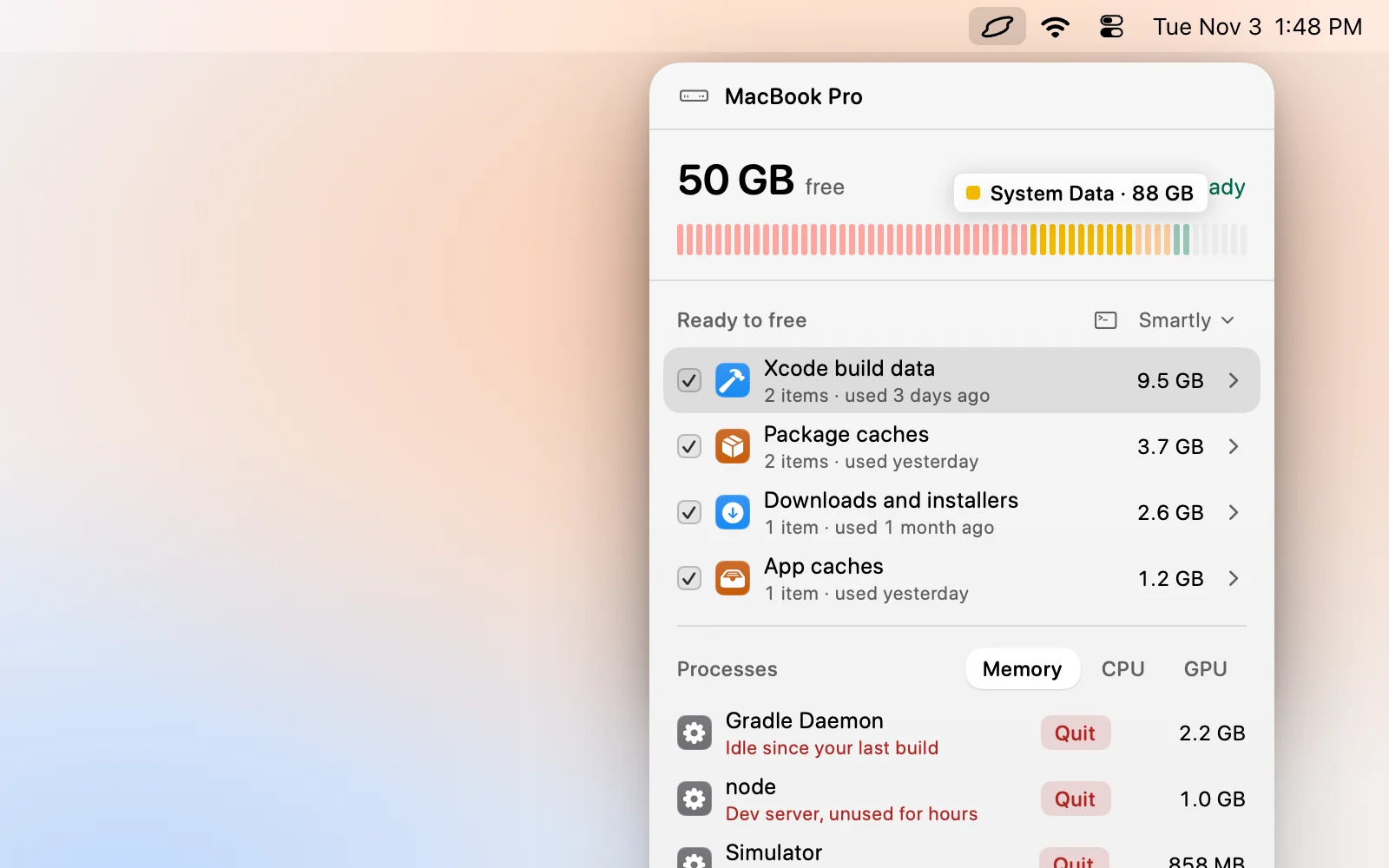
Levo is built around the rows in that table. Its Ready to free list shows the deletable kinds by name, each with a size and a reason, and your agent judges what is safe. Select › Smartly ticks only the safe ones at your cleanup level, and you untick anything you want to keep.
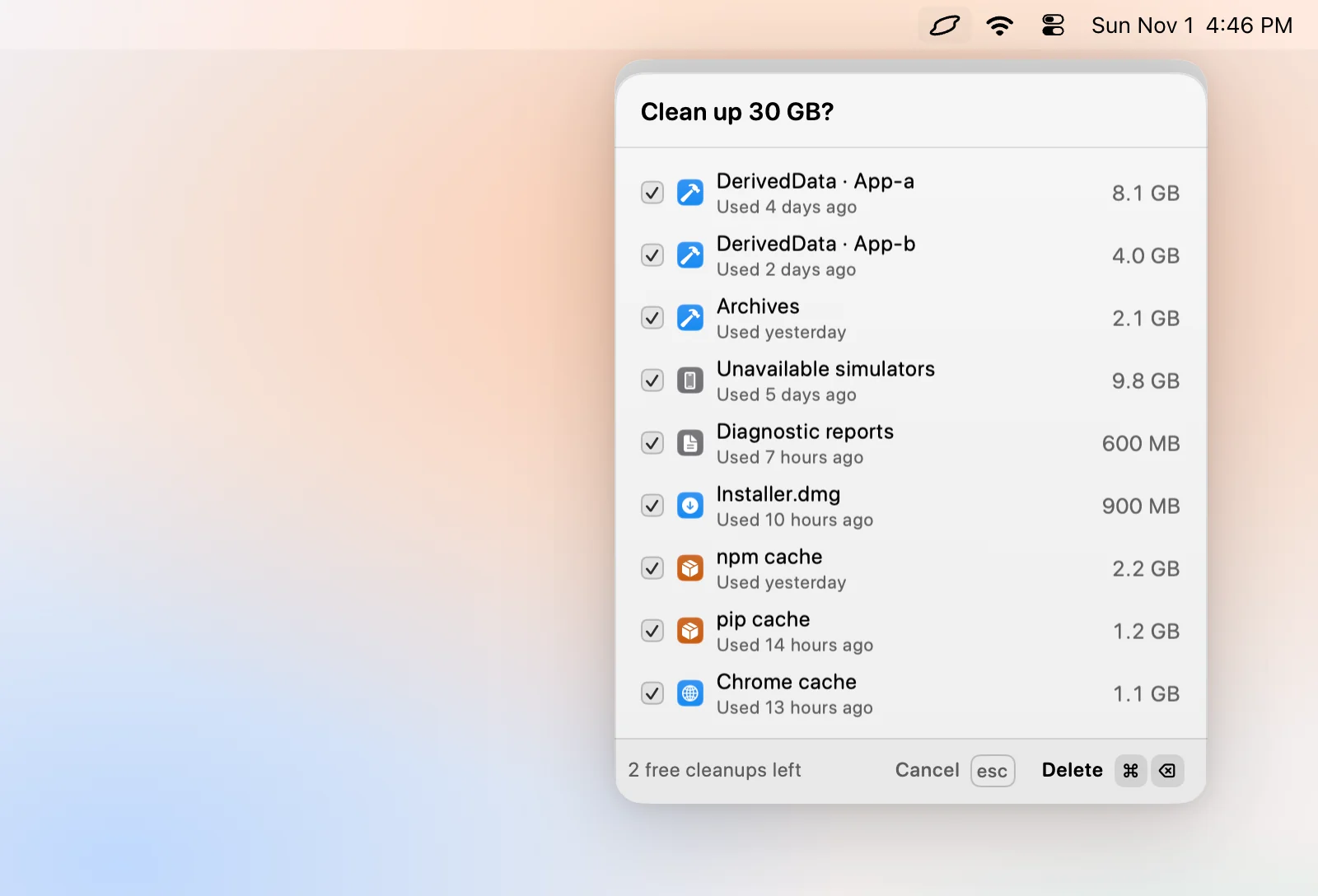
Levo never touches keychains, SSH keys, credential files or the Photos, Mail and Messages libraries, never cleans anything open or changed in the last few minutes, and checks each item again right before deleting it. It leaves Time Machine snapshots, swap and macOS’s own files to macOS, which is the “let macOS do it” row. Move to Trash lets you undo a cleanup with Put back.
FAQ
Is it safe to delete System Data?
Parts of it are. Caches, logs, build data and leftovers of removed apps are safe. System files, databases and keychains are not.
What happens if I delete the wrong thing?
An app may reset, forget its settings or fail to open. Deleting system folders can stop macOS from starting, which means a reinstall.
Will deleting caches lose my data?
No. Caches hold copies that apps can recreate. Your documents, photos and settings live elsewhere.
Can I delete System Data from Recovery?
There is no reason to. Recovery has no tool for it, and deleting from there skips the safeguards macOS has when it is running.