
Levo guides · Disk space
How to clear cache on a Mac, and which caches are safe to delete
User caches in ~/Library/Caches are safe to delete once the app that owns them is closed, and apps rebuild them as they need them. System caches in /Library/Caches and /System/Library/Caches are best left to macOS. The deletion that goes wrong is the one that removes a folder that only looks like a cache.
| Cache | Where | Safe to delete? |
|---|---|---|
| User app caches | ~/Library/Caches | Yes, with the app closed. They are rebuilt |
| Browser caches | ~/Library/Caches/Google/Chrome, com.apple.Safari, and each browser’s own settings | Yes. Pages load slower once |
| Sandboxed app caches | ~/Library/Containers/<app>/Data/Library/Caches | Yes, one app at a time |
| Command-line caches | ~/.cache, npm, Homebrew, pip | Yes. Downloaded again when needed |
| System caches | /Library/Caches | Mostly. Leave anything you don’t know |
| macOS’s own caches | /System/Library/Caches | No. It is protected and macOS rebuilds it |
What a cache is, and what comes back
A cache is a copy an app keeps so it doesn’t have to fetch or compute something twice: thumbnails, web pages, downloaded updates, compiled code. Deleting it costs you time, not data. The app builds it again, and the folder grows back. That means clearing a cache frees space only until it refills. Clear the ones that are large and rarely useful, not all of them every week.
How to clear the user cache yourself
- Quit the apps whose caches you are clearing. Deleting under a running app can make it misbehave.
- In Finder choose Go › Go to Folder (⇧⌘G) and enter
~/Library/Caches. - Finder can’t sort folders by size here, so check sizes in Terminal first (see below), then open the big ones.
- Delete the contents of an app’s folder, not the folder itself and not the
Cachesfolder. - Empty the Trash.
To see which are big:
du -sh ~/Library/Caches/* 2>/dev/null | sort -h | tail -15Command-line tools keep theirs elsewhere. Their own commands are cleaner than rm:
brew cleanup
npm cache clean --force
pip cache purge
Sandboxed apps and app-specific cleaners
Apps from the Mac App Store and many modern apps live in a container, so their cache is in ~/Library/Containers/<bundle id>/Data/Library/Caches. Finder won’t show these in a search, and macOS may ask for permission to open them. Chat apps, Photos tools and Safari’s extras are common examples. Where an app has its own clear-cache option, such as Settings › Advanced in Slack or Discord, prefer it. See How to clear the browser cache on a Mac and How to clear Slack, Discord, Teams and Spotify caches.
What breaks if you delete the wrong folder
- The whole
~/LibraryorApplication Support. These hold settings, databases and sometimes your data. Not a cache. - A
Cachesfolder inside a running app. The app may crash or reset itself. - System caches while macOS is running. Rarely harmful, but the next start is slower, and some folders are locked by System Integrity Protection anyway.
- The Photos or Mail libraries. They include thumbnail caches, but they sit inside a library you must not edit by hand.
Don’t run sudo rm -rf on anything under /Library or /System. Restarting the Mac clears the part of the system cache that matters, with no risk.
How Levo does it
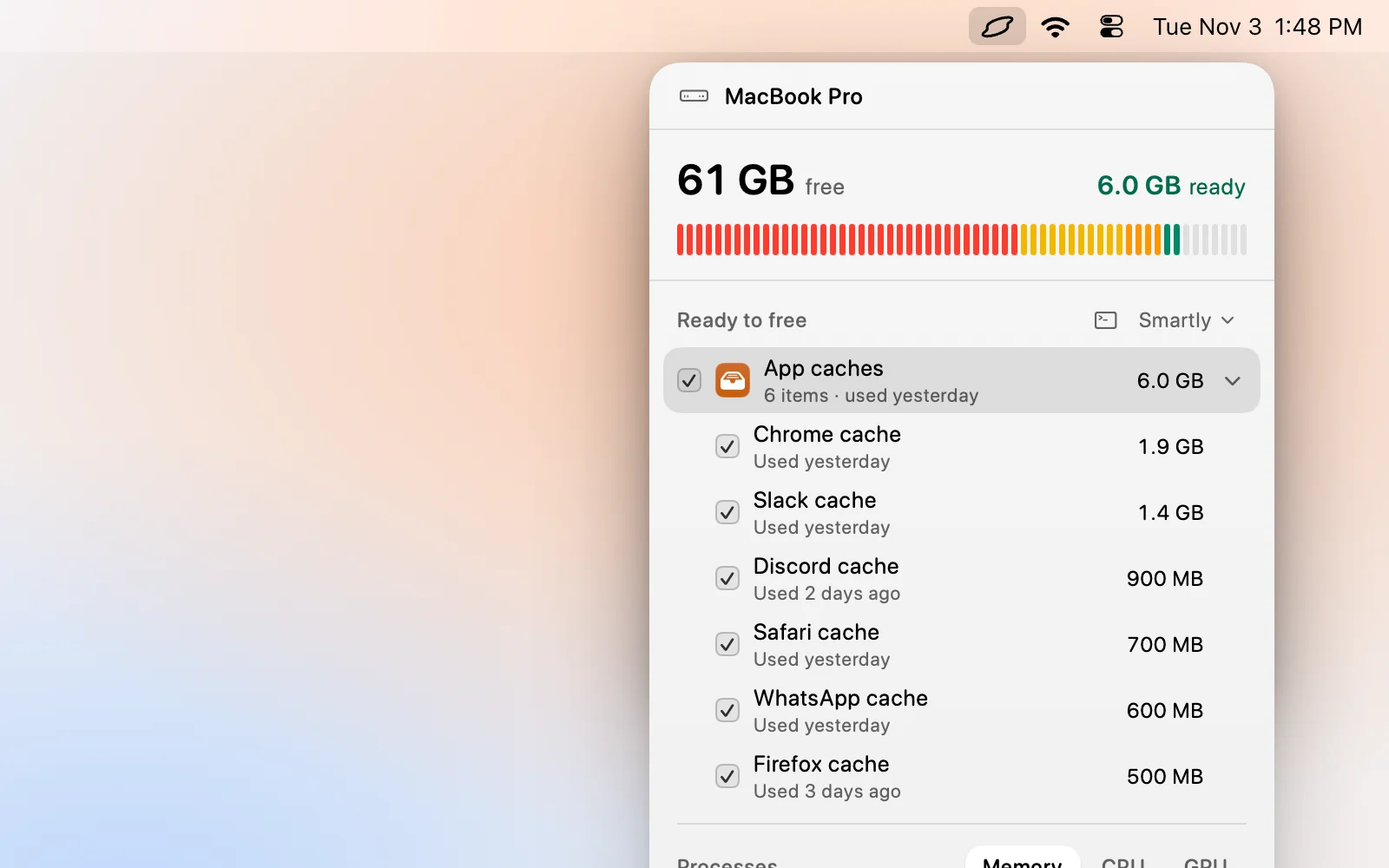
Levo finds caches for you. Its live index covers your home folder, Library and hidden folders, so browser caches, chat app caches, package caches and the ones in sandboxed containers all appear in Ready to free grouped by kind, each with a size and when it was last used.
Your own AI agent, such as Claude Code, Codex or Gemini, checks each item: what it is, whether it comes back and whether it can go. The agent only reads. Levo does the deleting, skips anything open or changed in the last few minutes, and checks every item again before it goes. Select › Smartly ticks only the safe ones at your cleanup level, and you can untick any. To let Levo open sandboxed folders, give it Full Disk Access.
FAQ
Is it safe to delete everything in ~/Library/Caches?
Mostly yes, with the apps closed. The contents are rebuilt by the apps that own them. Delete the contents of each app’s folder, not the Caches folder itself.
Will clearing the cache make my Mac faster?
Not usually. A cache exists to make things faster, so clearing it makes the first use slower. It helps only when a cache is huge or corrupt.
Do I have to restart after clearing caches?
No. Quit the apps first, and a restart is only useful to clear what macOS holds for the system.
Where is the cache for a Mac App Store app?
Inside its container: ~/Library/Containers/ followed by the app’s bundle id, then Data/Library/Caches. Finder search doesn’t find it, so open it with Go to Folder.