
Levo guides · What's that process?
WindowServer high CPU or memory on a Mac
WindowServer draws every window, the menu bar and the Dock onto your displays. When it's high, something is making it redraw too much: a big extra display, heavy transparency, or one app that never stops animating.
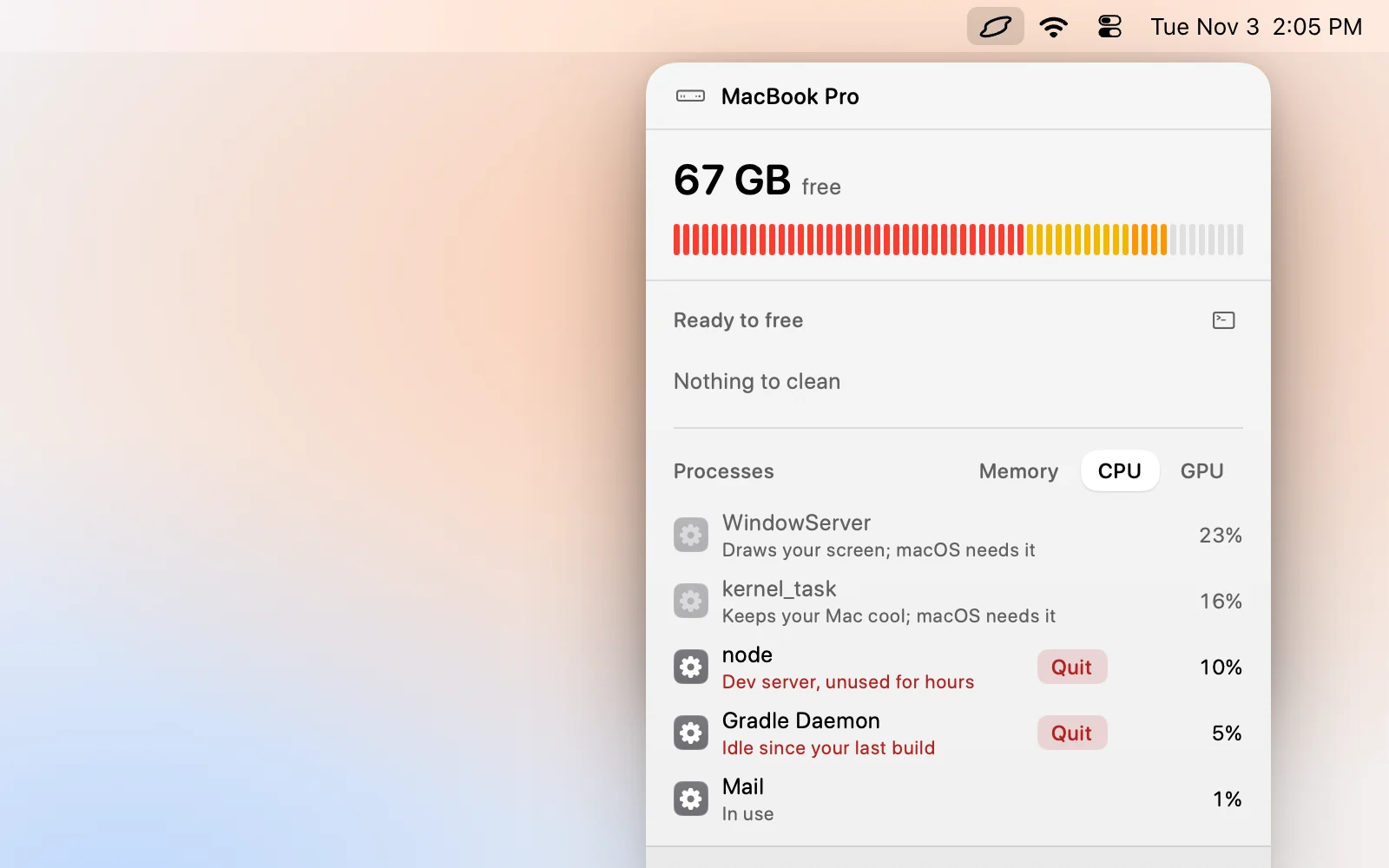
What it does
Every app hands its window to WindowServer, which composites them, blends the transparency and sends the result to each display many times a second. More pixels and more moving things mean more work. A few percent is normal. Tens of percent while you're doing nothing is not.
Memory is a separate story. It grows with the number of windows, displays and Spaces, and sometimes it creeps up over days of uptime. Several gigabytes after weeks without a restart is that creep.
| Trigger | Why it costs | Fix |
|---|---|---|
| 4K or 5K external displays, more than one | Many more pixels to composite | Lower the refresh rate or scaled resolution |
| Transparency and blur | Every translucent window is blended again | Turn on Reduce transparency |
| An app animating all the time | Constant redraws: a GIF, a spinner, a live chart, a video behind a call | Quit it or close that window |
| Screen recording or sharing | It copies every frame | Stop the recording or share one window |
| Many Spaces and full-screen apps | More surfaces to keep | Close the ones you don't use |
| Weeks of uptime | Memory growth | Log out or restart |
How to calm it down yourself
- In Activity Monitor, sort by % CPU and note
WindowServer. Quit apps one at a time and watch whether it falls. The app that moves it is the cause. - Open System Settings › Accessibility › Display and turn on Reduce transparency. Try Reduce motion too. These two often take 10 to 20 points off.
- Open System Settings › Displays and drop an external monitor to 60 Hz, or pick a scaled resolution with fewer pixels.
- Check Mission Control in System Settings › Desktop & Dock. Turning off Displays have separate Spaces changes how windows are held, and fixes some multi-display cases (it needs a log out).
- Look for a window that keeps updating in the background: a browser tab with an animated ad, a menu bar app with a live graph, a dashboard on a second screen.
- If memory is the problem, log out and back in. That restarts
WindowServercleanly and gives the memory back.
To watch it from Terminal:
top -o cpu -l 2 -stats pid,command,cpu,mem | grep -i windowserverDon't killall WindowServer to fix it. That ends your session and you lose unsaved work. A normal log out does the same thing safely.
The sneaky cases
- A video call minimised to a tile. The call keeps drawing video even when you are not looking at it. Leave the call, or turn off self view.
- A menu bar clock or graph that updates every second. Many together add up. Slow their refresh in their own settings.
- A Mac asleep behind a closed lid, still driving a display. Clamshell mode with a big monitor is the same load as any other display.
Should you quit it?
No. It is the screen. Quit what makes it busy instead.
Terminal checks for WindowServer
To see how much WindowServer costs over time instead of at a glance, sample it for ten seconds. Then list your displays and their modes, to see what you are asking it to draw.
ps -o pid,%cpu,rss,etime,command -p $(pgrep -x WindowServer)system_profiler SPDisplaysDataType | grep -E 'Resolution|Refresh|Display Type'The rss column of the first command is memory in kilobytes, and etime is how long it has been running. If it holds several gigabytes and etime counts weeks, that is the slow growth, and a log out fixes it. The second command shows each display's resolution and refresh rate: a 5K panel at 120 Hz plus a 4K one is a lot to composite. Lower one and compare the numbers.
How Levo does it
Levo never quits system processes, and WindowServer is one of them, along with Finder and Dock.
The useful part is the list under it. The apps that keep WindowServer busy are ordinary apps with their own CPU and GPU numbers, and your agent flags the idle ones: a screen recorder left running, a call window nobody is looking at, a hidden app animating. You quit those with the Quit button or ⌘K. If a GPU alert fires, the notification's Quit button quits the top suggestion.
Levo can't tell you your display is too large, so the display settings above stay manual.
FAQ
Why is WindowServer using so much memory?
It holds the surfaces for every window, display and Space. It can grow after weeks of uptime. Log out and back in to reset it.
Does an external monitor make WindowServer worse?
Yes. A 4K or 5K display at a high refresh rate means far more pixels to draw, and a second display adds the same again.
Is it safe to kill WindowServer?
macOS restarts it, but it ends your session and you lose unsaved work. Log out instead.
Does Reduce transparency really help?
Yes, mostly on older or busy Macs and on large displays. It removes blending that WindowServer would otherwise redo for every window.
How much CPU should WindowServer use when idle?
A few percent at most. Anything steady above 20% with nothing moving means an app or a display setting is making it redraw.
Can a screen saver or wallpaper cause it?
Yes. Animated and dynamic wallpapers and some screen savers keep WindowServer drawing. Switch to a still image to test.