
Levo guides · Disk space
How to delete old installers: DMG, PKG and macOS installer apps
Once an app is installed, its .dmg, .pkg and .zip installer is dead weight, and so is a downloaded Install macOS… app in Applications. Delete them. They’re often the biggest quick win on a Mac, because one macOS installer is over 15 GB, and you can download any of them again.
| Installer | Where | Size | Safe to delete? |
|---|---|---|---|
Disk image (.dmg) | Downloads, Desktop | 50 MB to 5 GB | Yes, once the app is in Applications |
Package (.pkg) | Downloads | Up to several GB | Yes, once installed |
Zipped app (.zip) | Downloads | Varies | Yes, if you moved the app out |
| Install macOS Tahoe or Golden Gate | /Applications | Over 15 GB | Yes. It is also removed by the installer itself on success |
| Mounted disk image | Shows in Finder’s sidebar | Same as above | Eject first |
Find the installers in Downloads
- Open Finder and go to Downloads.
- Choose View › As List and click the Size column header to sort, biggest first.
- Look at Kind. Disk Image, Installer package and ZIP archive are the ones you want.
- For each, check that the app is in Applications. If it is, drag the installer to the Trash.
- Empty the Trash.
To search the whole Mac, press ⌘F, choose This Mac, and set the filter to Kind is Disk Image, then do the same for Installer package. Or in Terminal:
find ~ -type f \( -name "*.dmg" -o -name "*.pkg" \) -size +20M -exec ls -lh {} + 2>/dev/nullEject disk images first
A mounted .dmg sits in the Finder sidebar, and Finder will refuse to delete a file in use. Click the eject button beside the image, or Control-click it and choose Eject, then delete the file. Some installers launch from the image; if you haven’t finished installing, keep it until you have.
Old macOS installers
When you download macOS from Software Update or the App Store, Install macOS Tahoe.app or Install macOS Golden Gate.app lands in /Applications. The installer usually deletes it after a successful update, but not if you quit or ran the update another way. Check:
ls -d /Applications/Install\ macOS*If one is there, and you’ve updated, drag it to the Trash. If you made a bootable USB drive, the drive is separate and keeps working. You can get the installer again from Software Update, or from the App Store for older versions. Don’t delete it before the update completes, and see Not enough disk space for macOS Golden Gate if you’re short on room.
What to keep
- The installer of an app that you can’t download any more, or paid software you only have as a file. Keep that one.
- Bootable installer drives you made on purpose.
- Installers for software you use on several Macs, if you’d rather not download each time. A copy on an external drive is enough.
- Anything you haven’t installed yet.
Delete these from Finder, not rm, and only if you’ve confirmed the app opens. The Trash lets you undo a mistake until you empty it.
How Levo does it
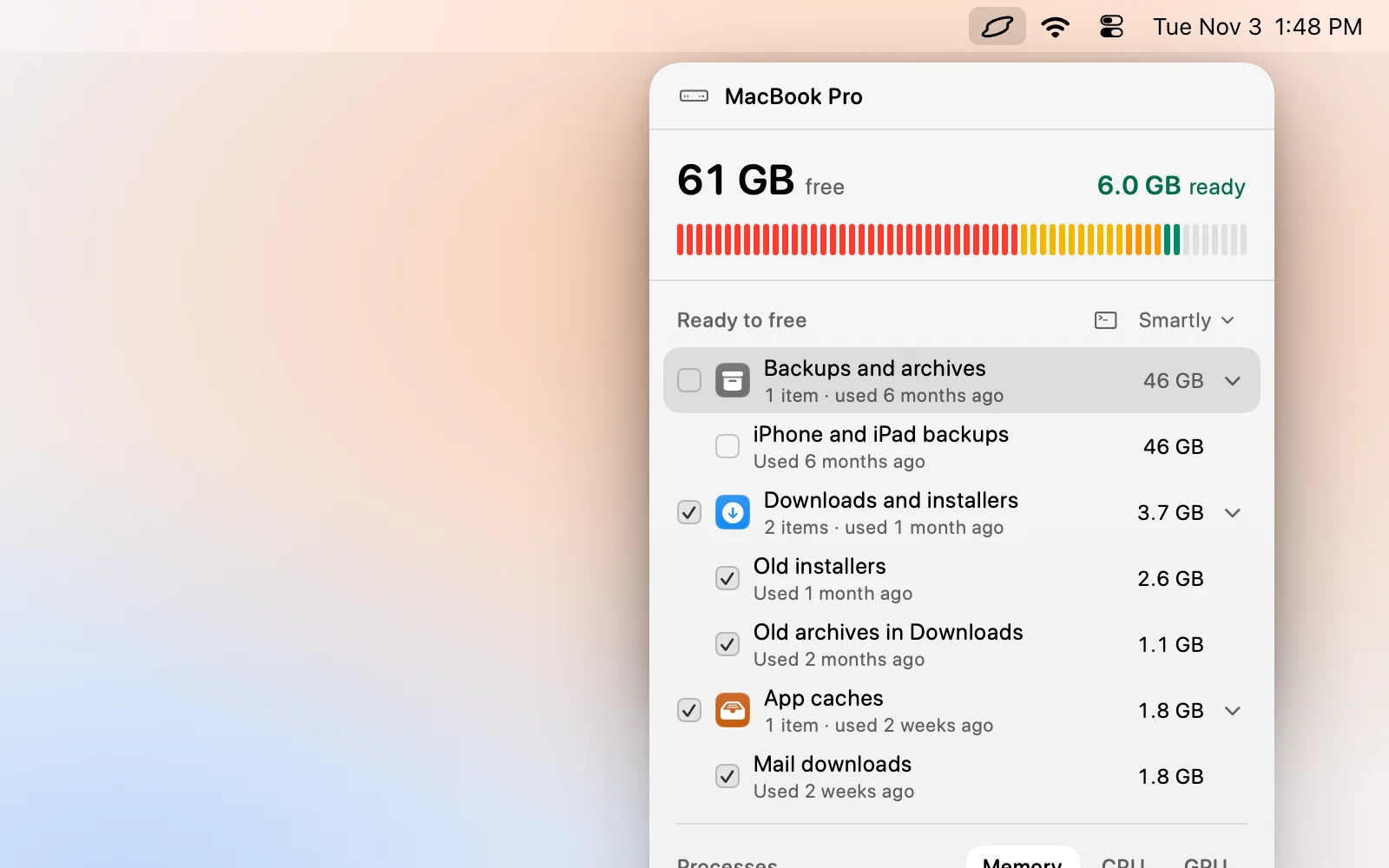
Levo finds installers across your Mac, not only Downloads. They appear in Ready to free with a size and when they were last opened, grouped with other everyday clutter. An Install macOS app, an old disk image and a pkg you ran two years ago are easy to separate from the one you downloaded today.
Your own AI agent, such as Claude Code or Codex, reads each item and judges whether the app is already installed and the file can go. It can only read, and Levo does the deleting. Select › Smartly ticks the safe ones, you untick anything you want to keep, and Clean up removes them. Levo skips anything open or changed in the last few minutes, checks again right before deleting, and with Move to Trash on, you can put back an installer you needed after all.
FAQ
Is it safe to delete DMG files after installing an app?
Yes. The app has been copied to Applications, and the disk image is only the delivery. Eject the image first, and keep the file only if you can’t download it again.
Can I delete the Install macOS app in Applications?
Yes, once you’ve updated. It is a large installer, over 15 GB, and Software Update downloads it again if you need it.
Where do old installers hide on a Mac?
Mostly Downloads and Desktop, plus /Applications for Install macOS apps. Search Finder by Kind, Disk Image or Installer package, to find the rest.
Why can’t I delete a DMG file?
It is probably mounted. Eject it from the Finder sidebar, then delete it. If it still fails, quit the installer that opened it.