
Levo guides · Disk space
How to clear Mail downloads and attachments on a Mac
Delete what’s in the Mail Downloads folder, then switch off automatic attachment downloads so it stays small. Don’t delete anything inside the Mail library folder itself: that’s your mail, and removing it by hand can make messages vanish.
Mail keeps two kinds of attachment data, and they behave very differently. Only one is safe to clear by hand.
| What | Where | Safe to delete? |
|---|---|---|
| Mail Downloads | ~/Library/Containers/com.apple.mail/Data/Library/Mail Downloads | Yes. Copies of attachments you opened. Mail makes a new one if you open the attachment again. |
| Downloaded attachments | Inside ~/Library/Mail/V*/, in each account’s Attachments folders | No, not by hand. Remove them through Mail, or change the download setting. |
| Message bodies and the envelope index | ~/Library/Mail/V*/ | No. This is the library. |
| Mail caches and preferences | ~/Library/Caches/com.apple.mail | Yes, with Mail quit. It’s rebuilt. |
See how big Mail really is
Open System Settings › General › Storage and look at the Mail row. It counts the library, attachments included. For a quick look at the two folders in Terminal:
du -sh ~/Library/Mail
du -sh ~/Library/Containers/com.apple.mail/Data/Library/Mail\ Downloads
If Terminal says “Operation not permitted” on the first one, give Terminal Full Disk Access in System Settings › Privacy & Security. Mail’s library is protected on purpose.
Clear the Mail Downloads folder
When you double-click an attachment in Mail, or drag it out, Mail often saves a working copy here first. These copies pile up and Mail never tidies them. They are copies, so deleting them loses nothing: the original is still in the message.
- Quit Mail.
- In Finder, press ⇧⌘G and paste
~/Library/Containers/com.apple.mail/Data/Library/Mail Downloads. - Select everything and move it to the Trash, then empty the Trash.
Or in Terminal:
rm -rf ~/Library/Containers/com.apple.mail/Data/Library/Mail\ Downloads/*One catch: if you edited an attachment from that folder and never saved it anywhere else, the edit lives only there. Open the folder and look before you empty it.
Stop Mail from keeping every attachment
The bigger share is usually in the library, because Mail downloads attachments for every message it syncs. For IMAP accounts (iCloud, Gmail, Outlook) you can tell it to fetch them only when you ask.
- In Mail, open Mail › Settings › Accounts and pick an account.
- On Account Information, set Download Attachments to Recent or None.
- Repeat for each account.
Mail then removes the local copies it no longer needs and fetches them from the server when you open a message. It doesn’t happen the second you change the setting; it can take a while, and the Mail row in Storage may lag.
Remove the heavy mail itself
Large messages are the real cost, and Mail has the tools to deal with them without you touching folders:
- Mailbox › Erase Deleted Items and Erase Junk Mail actually free the space. Deleted mail sits in the Trash mailbox until you do.
- In a message, Message › Remove Attachments strips the file but keeps the text. On an IMAP account it removes it from the server too, so it’s final.
- Sort a mailbox by Size (View › Sort By), or search with the Attachments filter, and clear the biggest first.
POP accounts are different: the mail is only on your Mac, so removing it deletes the only copy. Back up first.
What Mail rebuilds by itself
The envelope index, Spotlight data and caches are rebuilt on launch. If Mail looks stuck on “Rebuilding” after a clean-up, leave it running; it settles. Don’t delete the V10 style folder to “force” it unless you’re ready to re-download everything from the server.
How Levo does it
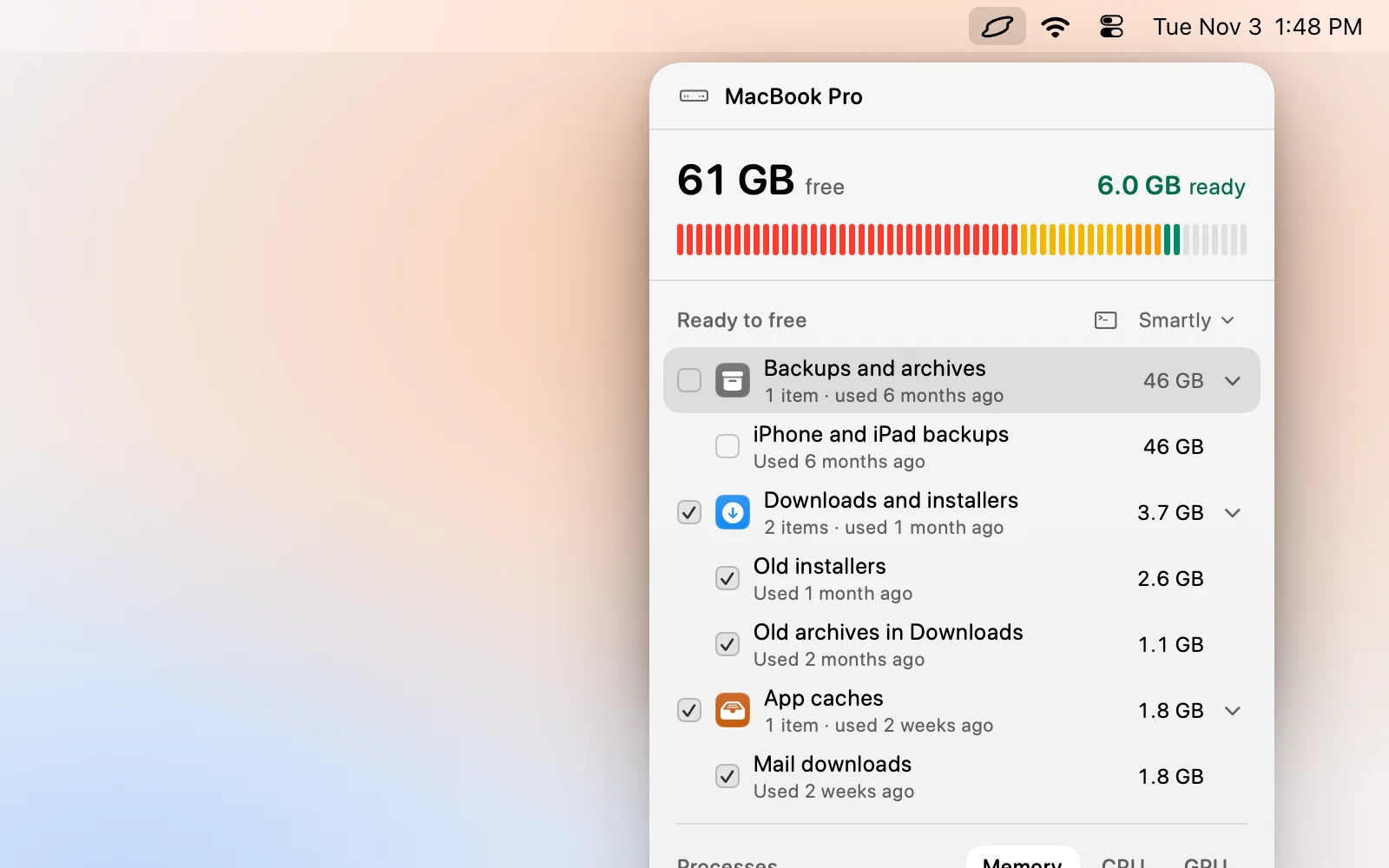
Levo never touches the Mail library, Messages or Photos. That’s a fixed rule, not a setting, so a clean-up can’t reach your messages. Mail Downloads is a separate folder of attachment copies you opened, so Levo lists it in Ready to free under App caches, with its size. It ticks the copies older than a month when Mail isn’t open, and deletes nothing until you confirm.
The same list groups what else has piled up on the disk, by kind, each with a size and a reason, so you can tell whether Mail is even your problem. Often the space is in old installers, iPhone backups or caches, not in mail. You tick what goes, and with Move to Trash on you can put it back.
With Full Disk Access, Levo’s index can count the Mail library, so the size it reports is honest. Counting is all it does with it.
FAQ
Is it safe to delete the Mail Downloads folder?
Yes, its contents. They are working copies of attachments you opened, and the original is still in the message. Quit Mail first, and check for any edited file you haven’t saved elsewhere.
Why is Mail so big when I barely use it?
Mail downloads every attachment for every message it syncs, and keeps the Trash and Junk until you erase them. Set Download Attachments to Recent or None and erase deleted items.
Will deleting attachments delete them from my email account?
Deleting the local Mail Downloads copies does not. Using Message › Remove Attachments on an IMAP account does remove the file from the server too.
Can I delete the ~/Library/Mail folder to start over?
Only if every account is IMAP and you accept a full re-download. For POP accounts it deletes your only copy of the mail. Use Mail’s own settings instead.