
Levo guides · Disk space
What’s in ~/Library/Application Support, and what can go
Application Support is where apps keep their data: databases, settings, downloaded content, plug-ins. Most of it is not cache, so don’t clear it like one. What can go is the folder of an app you’ve already deleted. Everything else needs a reason.
This folder is often the biggest in your Library, which is why people end up poking around in it.
| Folder | What it is | Can it go? |
|---|---|---|
| A folder for an app you deleted | Leftover data, named after the app or its developer | Yes, after checking the app is really gone |
Slack, discord, Code | App data plus caches inside | Only the cache subfolders. See below. |
MobileSync/Backup | Local iPhone and iPad backups | Only when you’ve decided to drop a backup |
AddressBook, CloudDocs, com.apple.* | Contacts, iCloud sync state and macOS data | Never |
Knowledge, Dock, CallHistoryDB | Siri, Dock and call data | Never |
| A creative app’s library (Logic, GarageBand, Final Cut) | Sound libraries, media, projects | Only through the app, after checking |
See what’s big
Sort by size in Terminal:
du -sh ~/Library/Application\ Support/* 2>/dev/null | sort -h | tail -20A few folders usually make up most of it. Browsers, chat apps, editors, Docker and creative software are the typical heavy ones. Some are on the list for a reason you can fix inside the app, such as a media cache or a download setting.
Which folders are leftovers
When you drag an app to the Trash, macOS removes the app and nothing else. Its Application Support folder stays. To tell a leftover from a live folder:
- List what’s installed:
ls /Applications ~/Applications. Don’t forget apps in other places, like/Applications/Utilitiesor an external drive. - Match folder names against that list. Names are usually the app name (
Spotify), the developer (Google,Adobe) or the bundle ID (com.company.App). - If you can’t match one, search the name. A developer folder may be shared by several apps, and removing it for one app breaks the others.
- Check what’s inside before deleting. If the folder holds files you made (projects, a library, notes), keep it or copy it first.
Move leftovers to the Trash, not straight to rm. If something stops working next week, you can put it back.
Folders never to touch
- Anything starting with
com.apple., plusAddressBook,CloudDocs,iCloudandSyncServices. They hold your contacts, iCloud sync state and system data. Deleting them can lose data that exists nowhere else. Knowledge,CallHistoryDB,Dock. Siri, call history and Dock layout.- An app’s
Local Storage,CookiesandIndexedDB. They hold logins and settings, not cache. - Any password manager’s, VPN’s or security tool’s folder. Even if the app is installed.
- Database files (
.sqlite,.db,.realm) of an app you still use.
The ones that look big and are really cache
Electron apps (Slack, Discord, VS Code, Notion) store their cache inside Application Support, in folders named Cache, Code Cache, GPUCache and CachedData. Those subfolders are safe to clear with the app quit. The parent folder isn’t. The app-specific steps are in the chat app cache guide.
Why not just reset an app?
Deleting an app’s Application Support folder is the nuclear reset: the app starts as if freshly installed, losing accounts, local data and custom settings. That fixes some corrupt-state bugs, and it’s a fair move when you’ve exported what you need. It’s a poor way to save space, because the same effort on one big cache buys more with far less risk.
Apps from the Mac App Store, and many modern ones, keep data in ~/Library/Containers instead. The same logic applies there: it’s the app’s data, not yours to prune casually.
How Levo does it
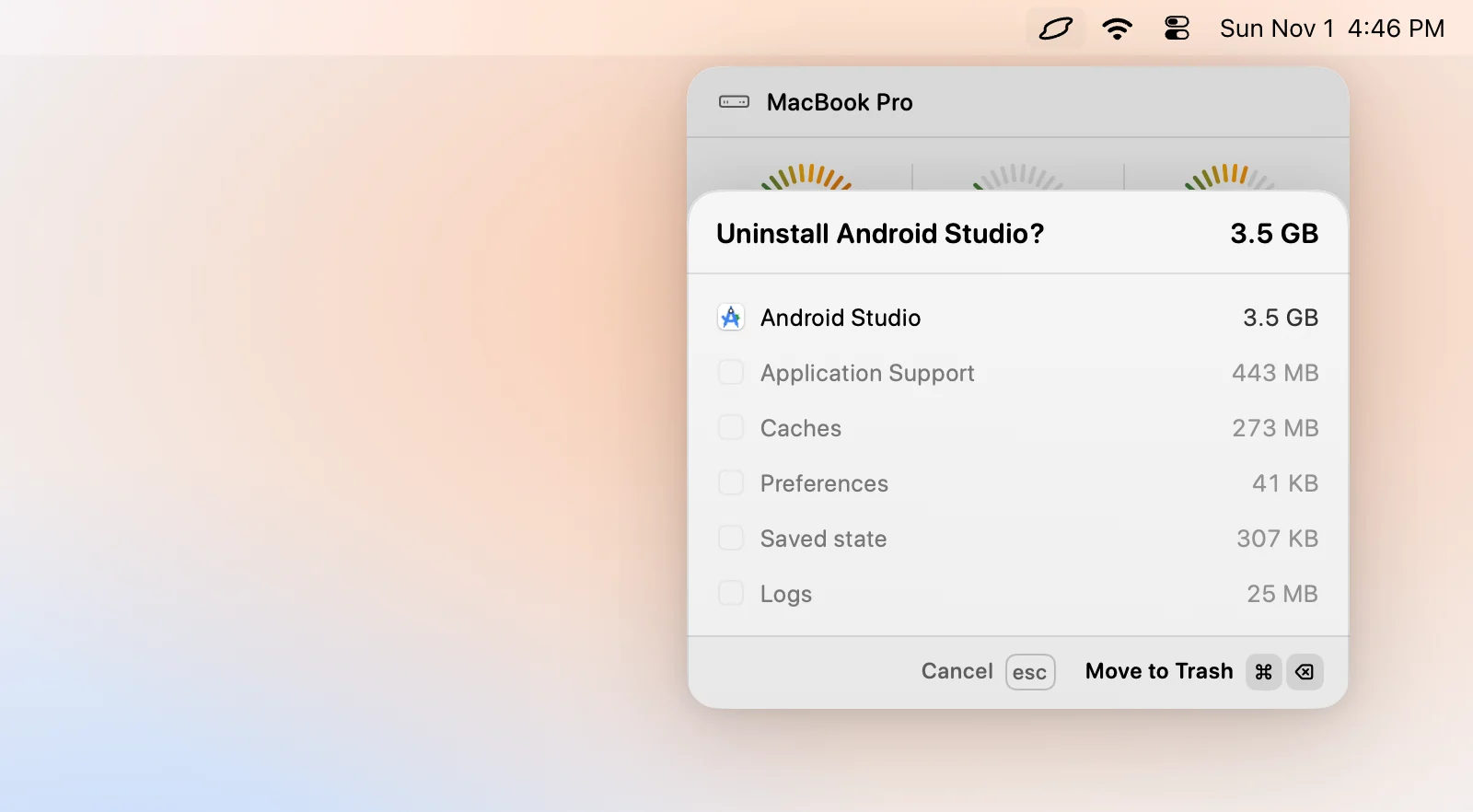
The tidy way to clear leftovers is to never create them. Levo’s uninstall removes an app together with its leftovers, including Application Support, caches and preferences, and sends them to the Trash so you can put them back. Type Uninstall in ⌘K and pick the app. See uninstall apps.
Levo doesn’t mass-delete Application Support folders on its own. It never cleans anything open or in use, never touches your Photos, Mail and Messages libraries, iCloud Drive or keychains, and leaves folders you’ve marked as protected alone. Without Full Disk Access it can’t look inside other apps’ containers, so grant Full Disk Access if you want its index to count them.
FAQ
Can I delete everything in Application Support?
No. It holds the data of every app you use, plus macOS data such as contacts and iCloud sync state. Delete only folders for apps you’ve already removed, after checking what’s inside.
How do I know if an Application Support folder is a leftover?
Check that no installed app matches its name, developer or bundle ID. If you can’t match it, search for the name first. Developer folders are often shared between several apps.
Is Application Support the same as Caches?
No. Caches hold data an app can rebuild. Application Support holds data it needs, so deleting it can lose accounts, settings or files.
Will deleting an app’s folder fix a misbehaving app?
Sometimes. It resets the app, but you lose its local data and accounts. Try clearing its cache or reinstalling first.